
Lean PlanDo manual › Modules: Safety, Design, Quality, Precast
Safety module in Lean PlanDo Flow
Run your site safety forms digitally: add them from the Library, publish them, start their workflows and track them.
The Safety module is an all-in-one application for your project's digital safety management. It turns your safety forms into digital forms, each with its own workflow. It covers Permit-To-Work (PTW), Incident Management, Equipment/Machinery Inspection, and SSHE Safety Forms & Checklists.
Library
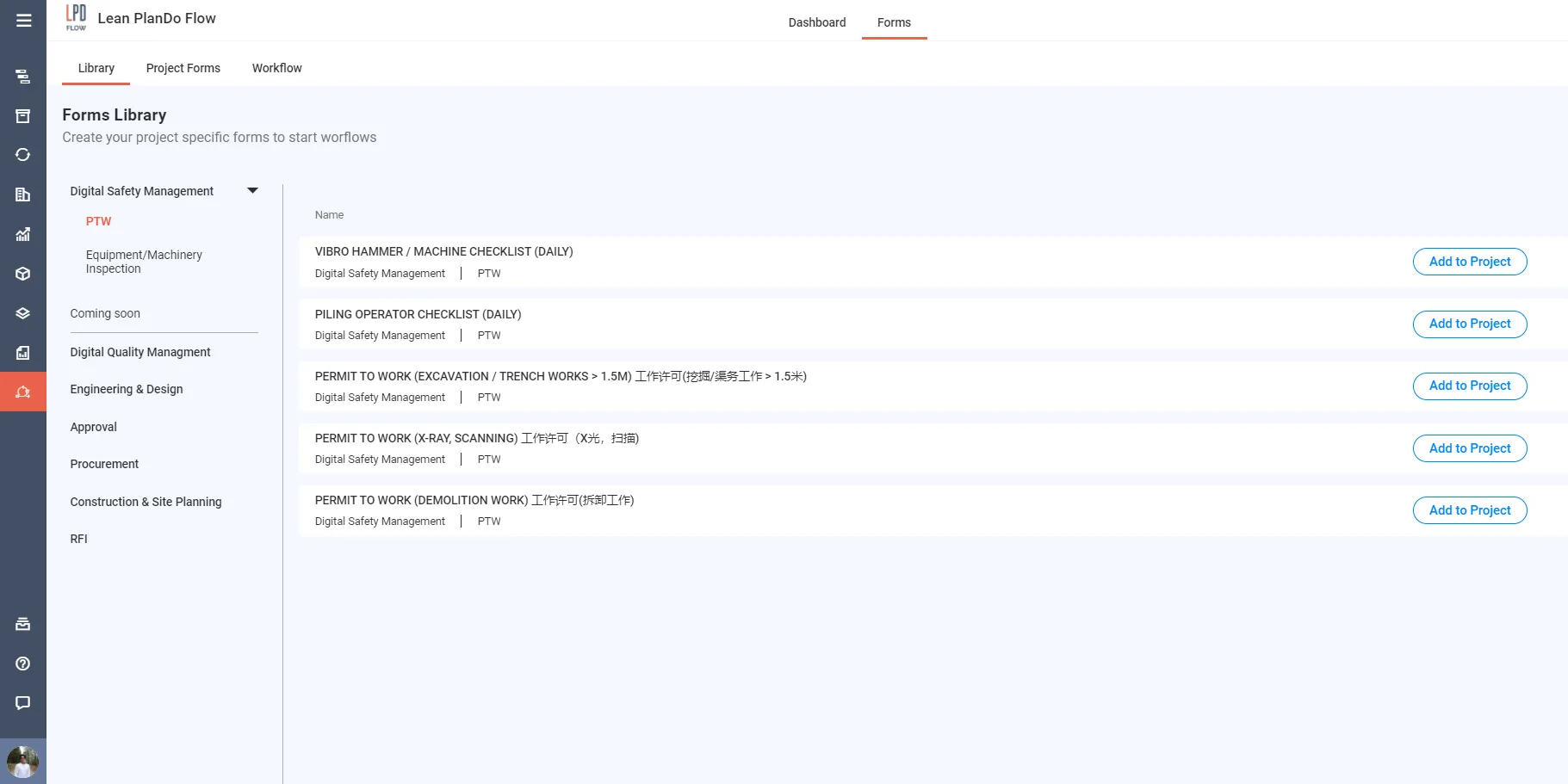
The Library holds safety forms widely used in construction, ready to use. The Digital Safety Management category has these sub-categories:
- Incident Management
- SSHE Safety Forms & Checklist
- Equipment/Machinery Inspection
- PTW
For more, see Library.
Templates
Add a Library form to your project's templates:
- Beside a form in the Library, click Add to Project. The Adding project form page opens. It shows the Library form under Selected from library.
- Enter ISO No., Template Name and Revision No, and a Description if you want one. Discipline and Category come from the Library form.
- Click Create. The form is added to Templates as Unpublished.
- Click Publish beside the form. You must publish it before you can schedule or start its workflow.
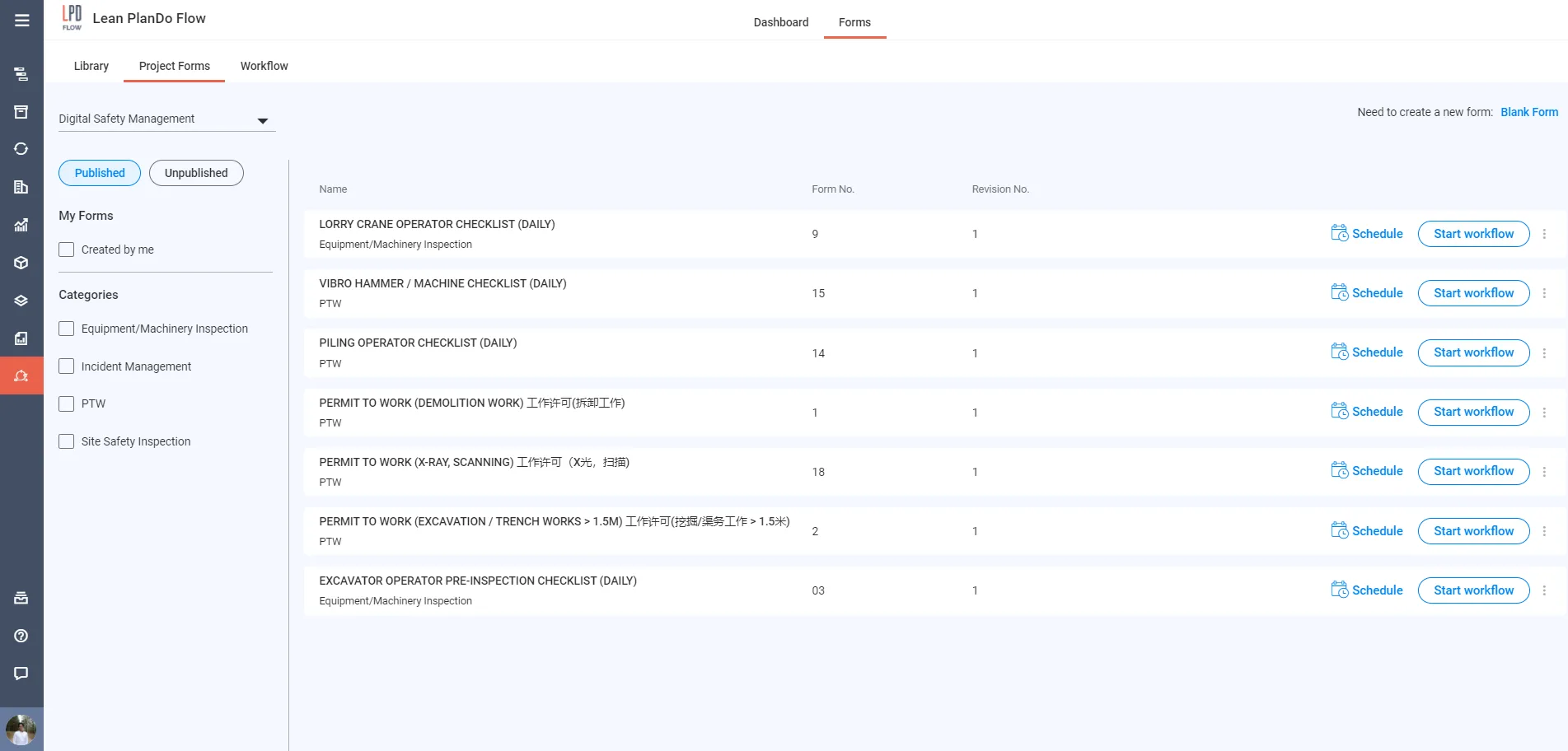
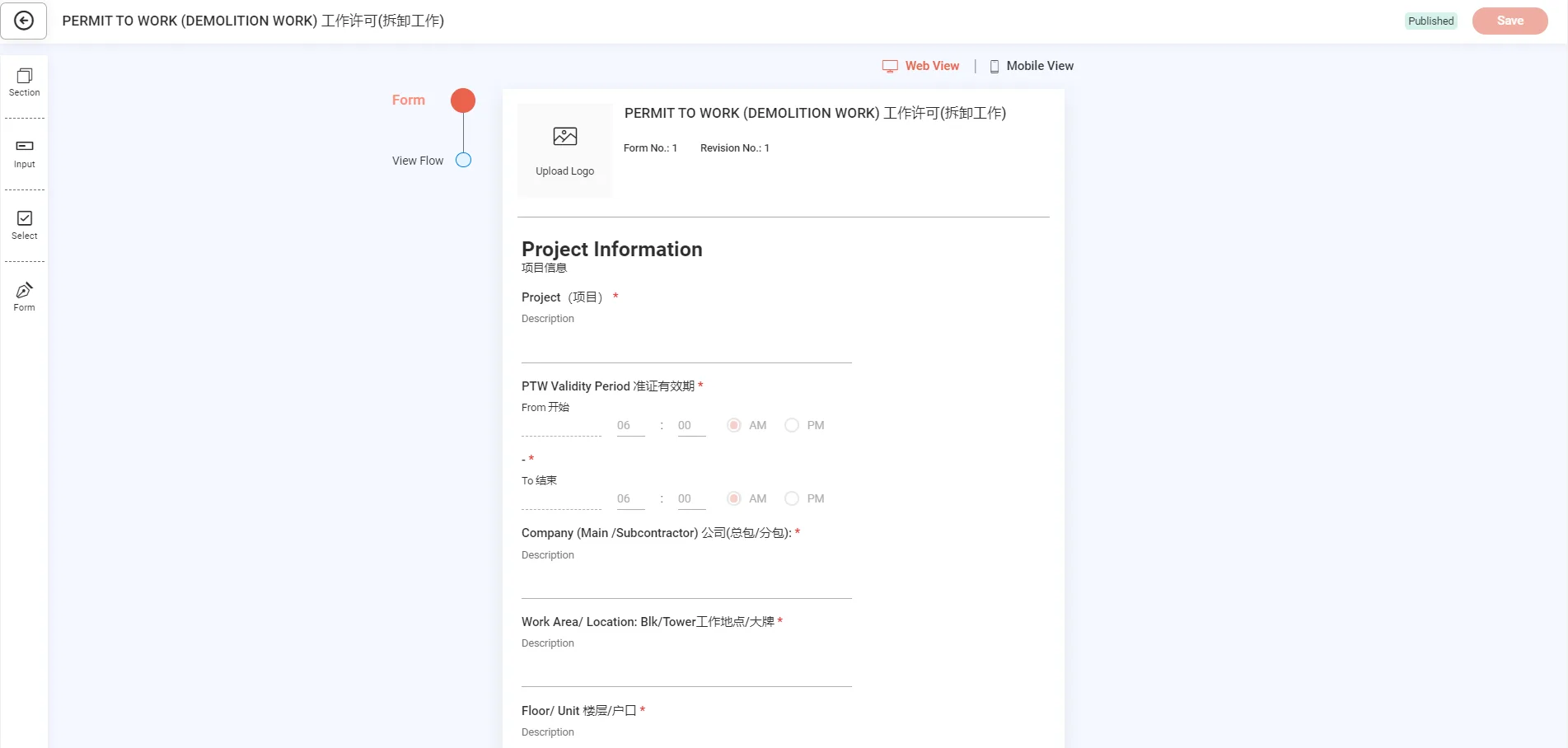
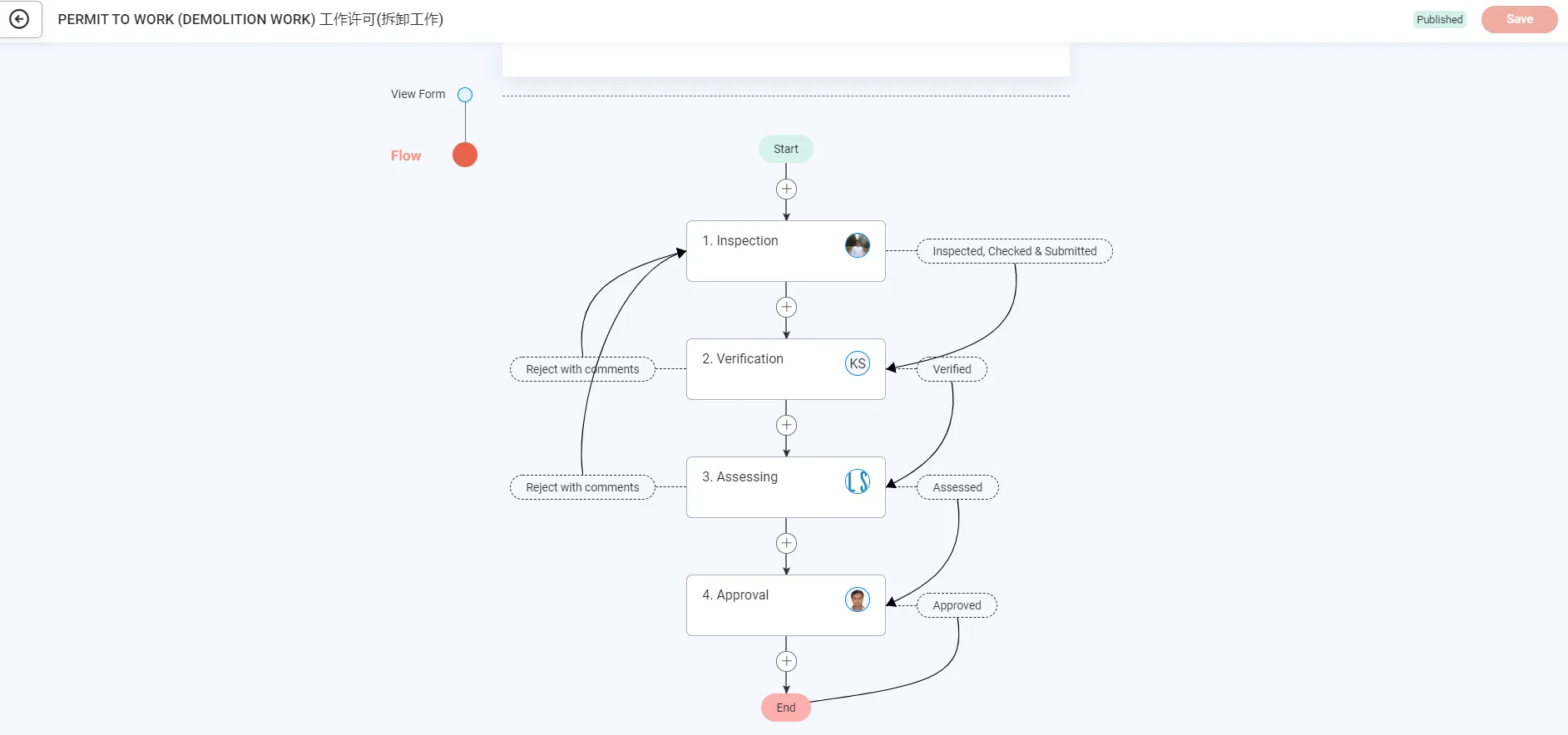
Each template has the form content and a workflow attached to it.
You can schedule each workflow to start on a set date, or start it now. Click Schedule or Start workflow beside a published template. When you schedule, choose the right dates and assignees so the workflow reaches the right project members.
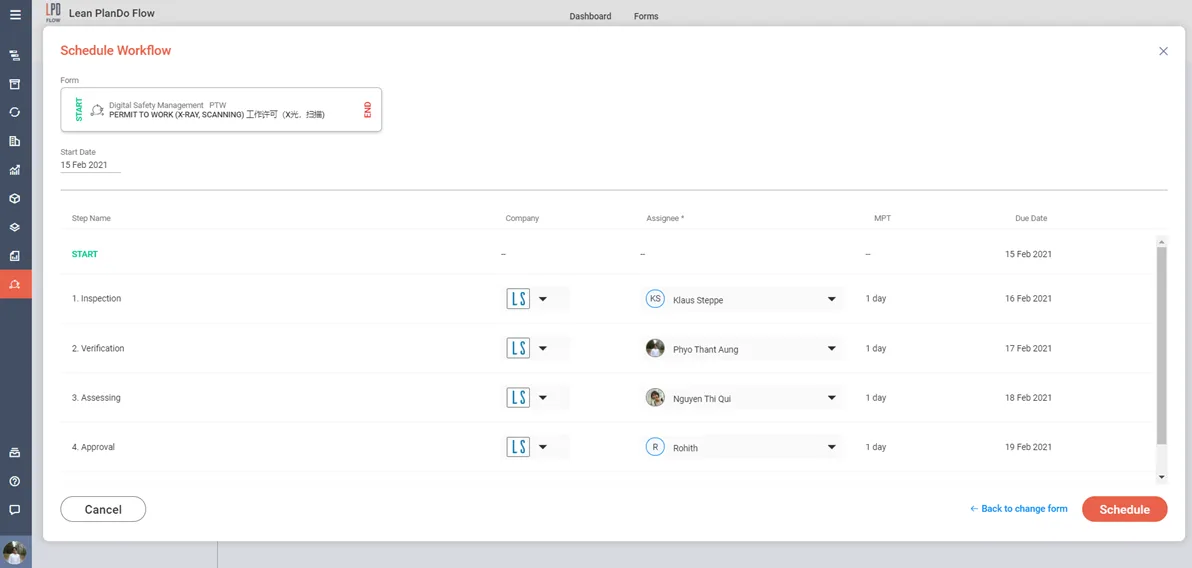
For more, see Flow templates.
Workflow
The Workflow tab lists all your scheduled, active and completed workflows.
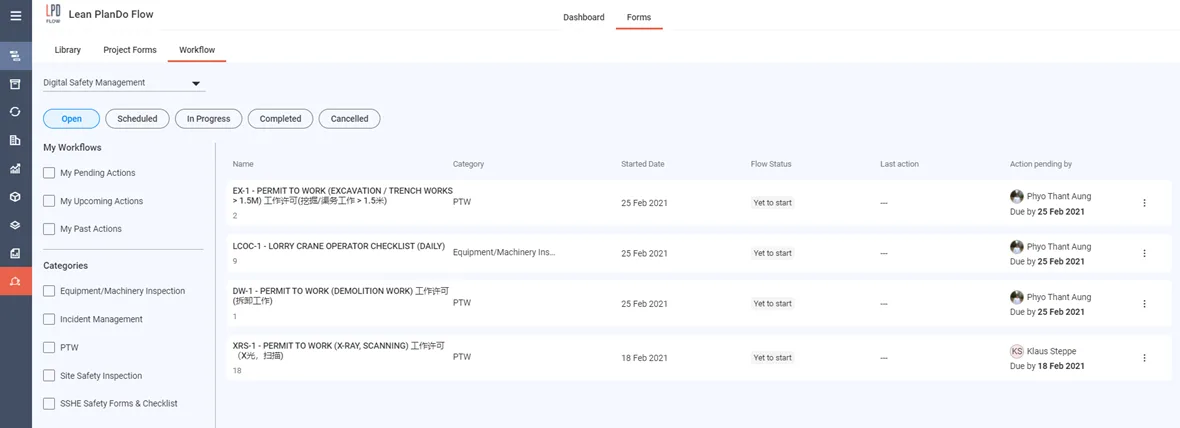
The tab shows who took the last action (for example submitted, reviewed or approved) and whose action is pending. The responsible person fills in the form and submits it to the next person. That person then reviews or approves it, as set in the workflow. The system saves all completed forms for future reference.
For more, see Workflow tab.
Last updated 2023-07-19. Part of Modules: Safety, Design, Quality, Precast in the Lean PlanDo manual. Lean PlanDo by Lean Station.