
Lean PlanDo manual › Modules: Safety, Design, Quality, Precast
Quality module in Lean PlanDo Flow
Turn your project's quality inspection forms into digital forms with workflows, then schedule, start and track them in Lean PlanDo Flow.
Use the Quality module of Lean PlanDo Flow to manage your project's quality inspections digitally. Each inspection becomes a digital form with its own workflow attached.
You can turn these quality forms into digital forms:
- Performance/Defects Inspection
- Authority/Client Approval
- Site Work Inspections
- Material Quality Inspection
Library
The Library (forms library) holds quality forms widely used across the construction industry, ready to use. Under the Digital Quality Management category, the forms are sorted into the sub-categories above so you can find them quickly.
To learn more, read Library.
Templates
Add forms from the Library to your project. They then appear under Templates.
- In the Library, click Add to Project beside the form. The Adding project form page opens. It shows the Library form under Selected from library.
- Enter ISO No., Template Name and Revision No, and a Description if you want one. Discipline and Category come from the Library form.
- Click Create. The form is added to your templates as Unpublished.
- In Templates, choose Unpublished, then click Publish beside the form. You can also click Publish next to the Unpublished tag at the top of the open form. If you have unsaved changes, a dialog asks first (Save and proceed). If you do not see Publish, the form is already published or you do not have permission to publish forms.
The form moves to Published. Schedule and Start workflow now appear beside it. Only published forms can start a workflow.
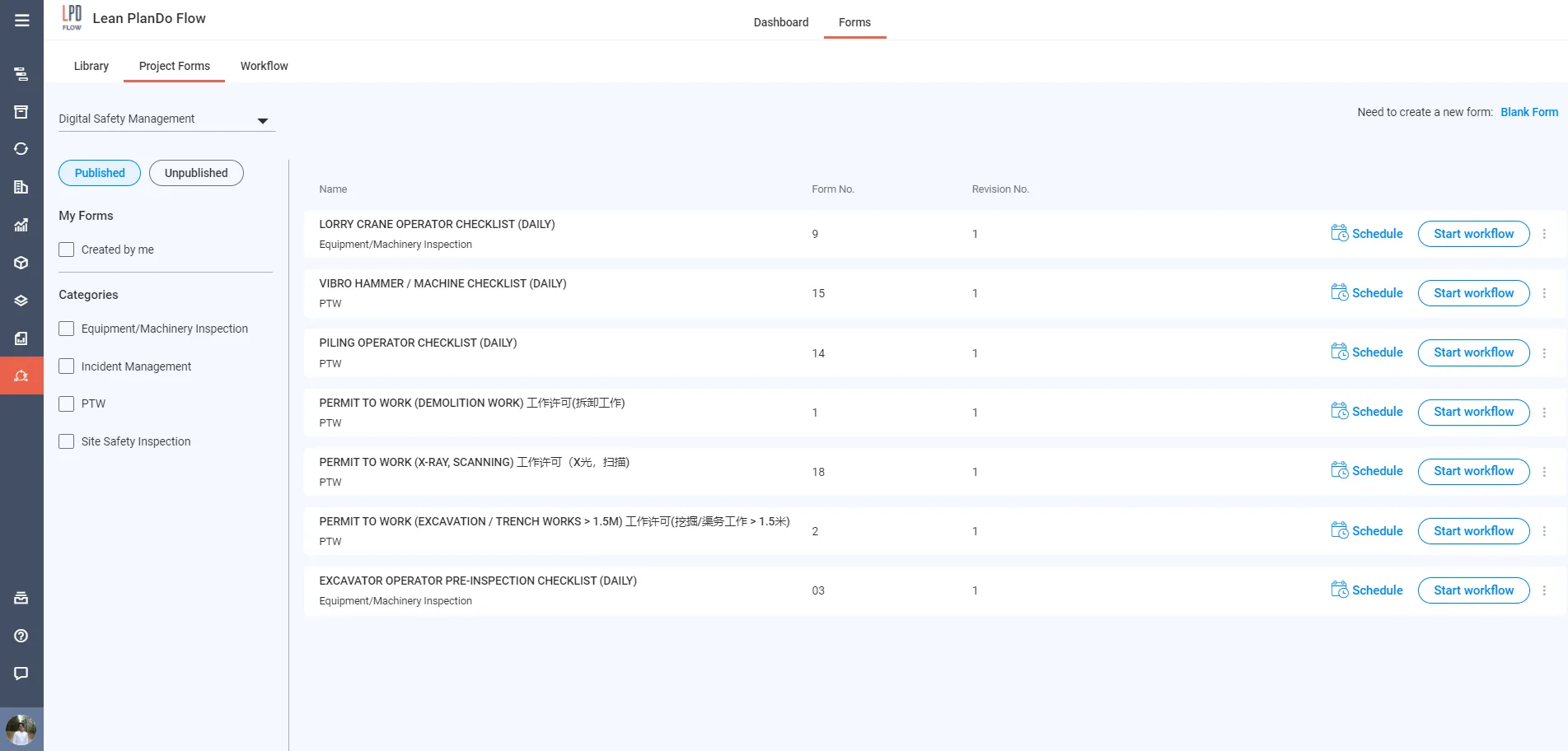
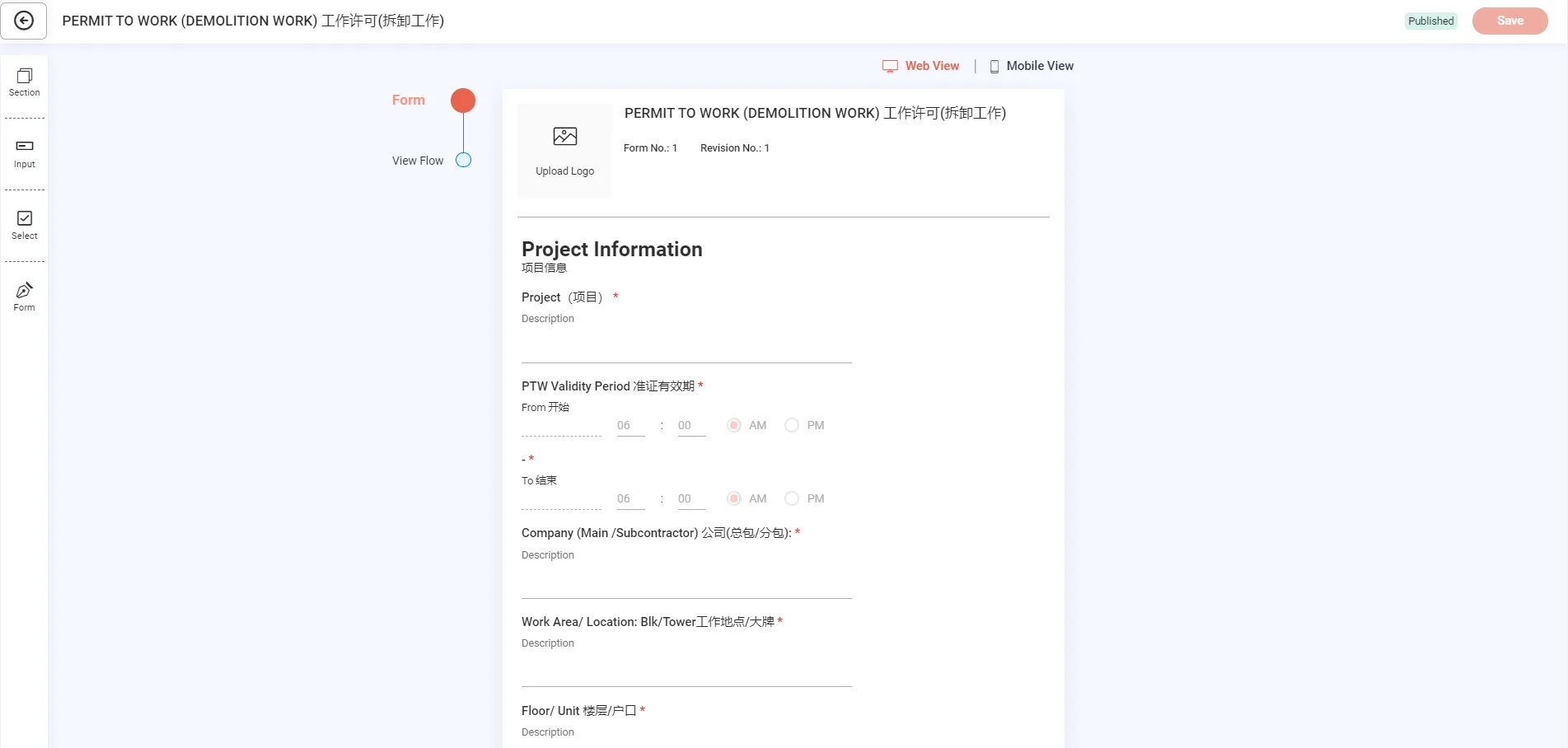
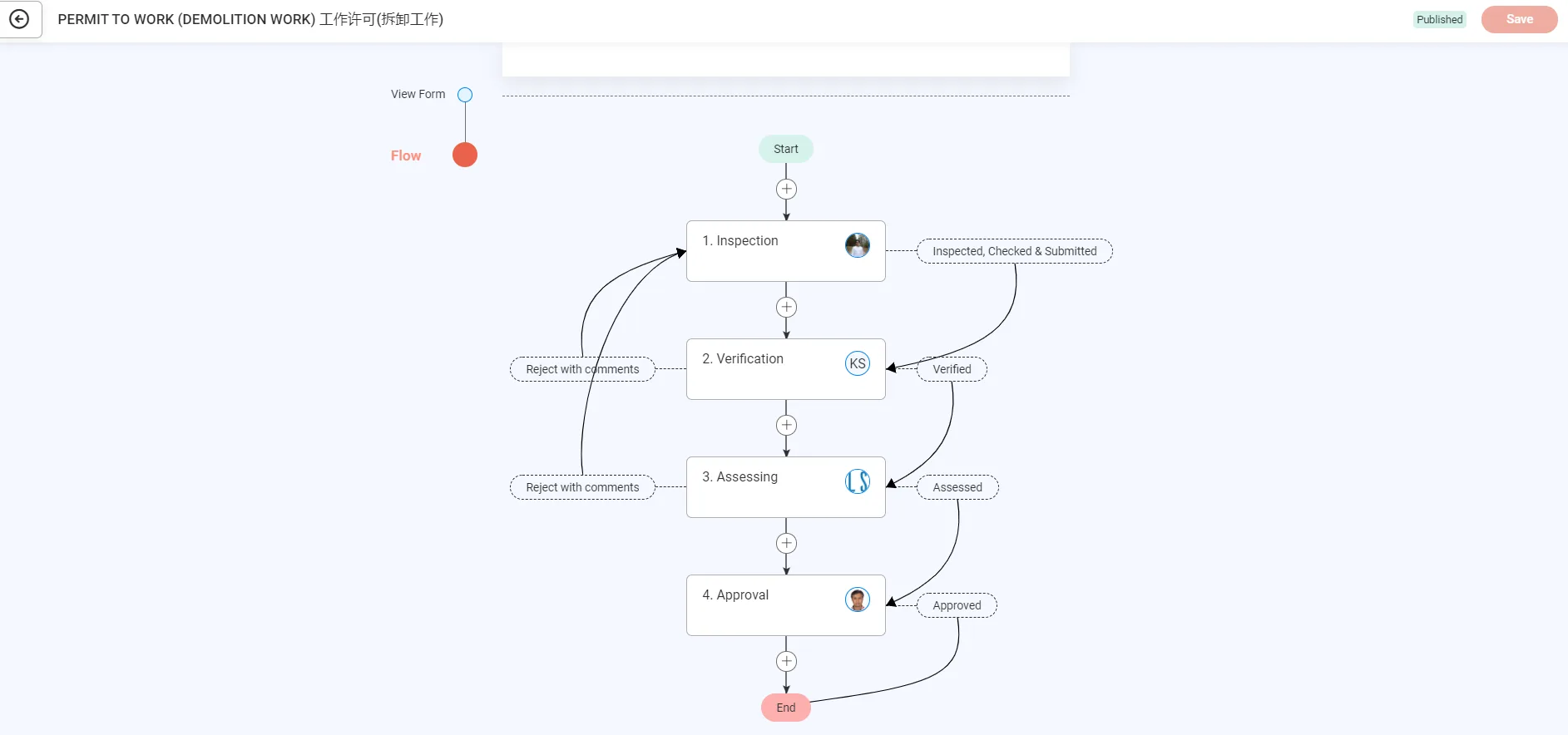
Each template holds the form content and a workflow attached to it.
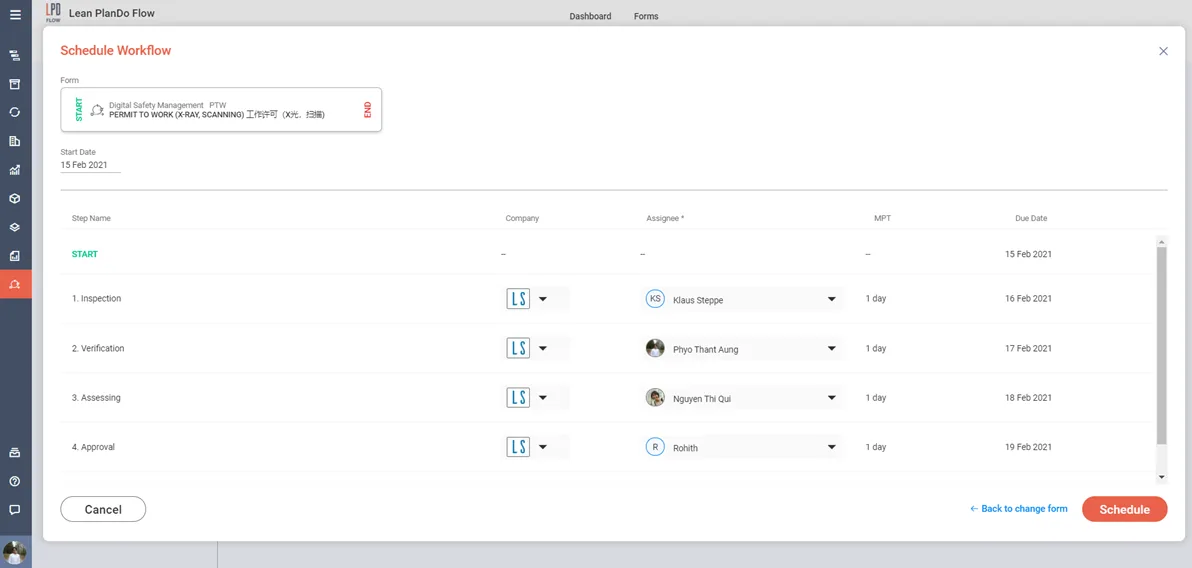
You can schedule a workflow to start on a set date, or start it now. Click Schedule or Start workflow beside the template. When you schedule, choose suitable dates and assignees to set up a proper workflow among your project members.
To learn more, read Flow templates.
Workflow
The Workflow tab lists all your scheduled, active and completed workflows.
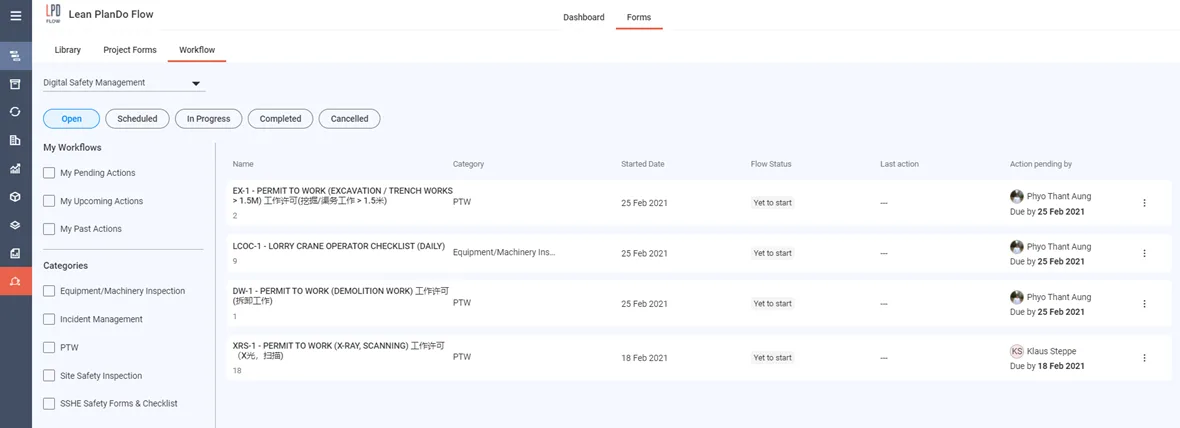
The tab shows who took the last action (for example submitted, reviewed or approved) and whose action is pending. The responsible person fills in the form and submits it to the next person. That person then reviews or approves it, as set in the workflow. Lean PlanDo Flow saves all completed forms for future reference.
To learn more, read Workflow tab.
Last updated 2023-07-19. Part of Modules: Safety, Design, Quality, Precast in the Lean PlanDo manual. Lean PlanDo by Lean Station.