
Lean PlanDo manual › Lookahead
Manage a task constraint
Edit, reassign or delete a task constraint in the Lookahead, and read the delay icons.
Manage task constraints in the Lookahead. Once a task has constraints, you cannot update its progress until all of them are Done. So keep them up to date.
A constraint has two menus:
- Detail View: double-click the constraint.
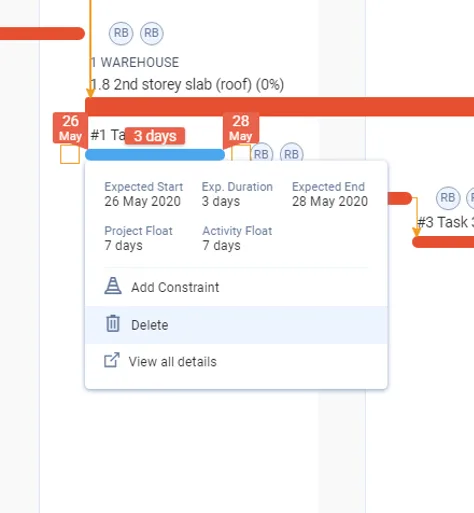
- Mini Widget: click the constraint once.
In the Detail View you can:
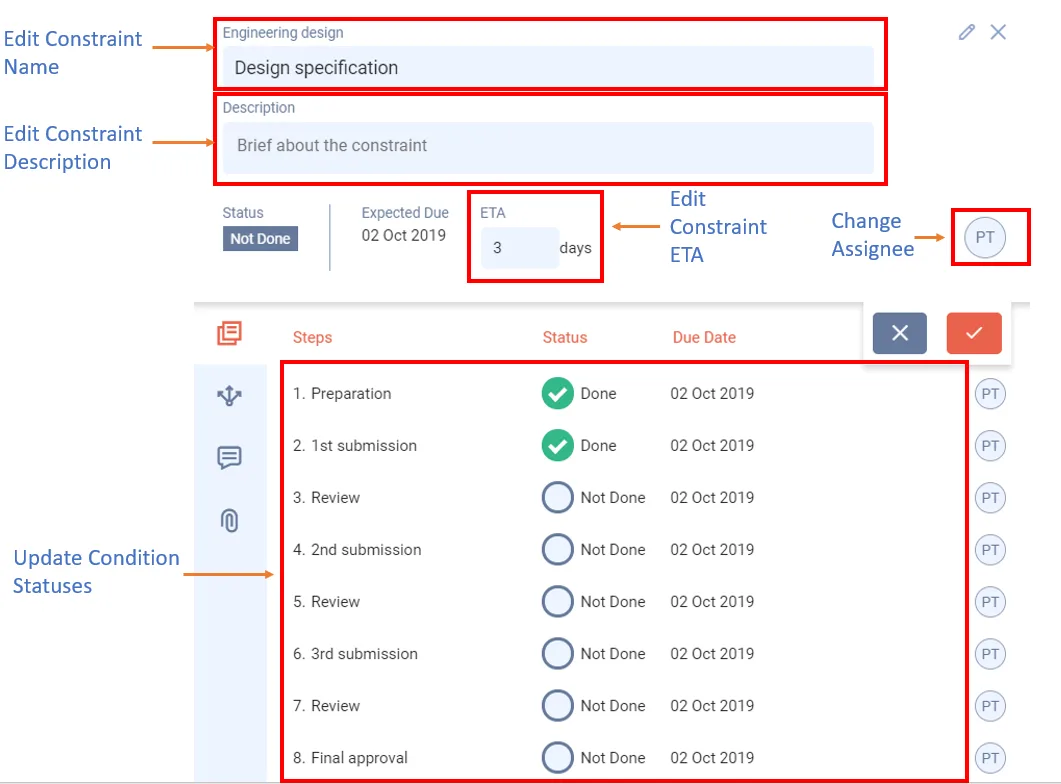
- Click Edit (pencil icon) at the top to change the name, description, ETA and assignee.
- Change a step's status, date and assignee: hover over the step and click Edit step. The last step's date is the constraint's due date. See Manage steps under a task constraint.
- Update comments and attachments.
To delete a constraint, use the Mini Widget. Delete is not in the Detail View.
Edit a constraint
- Double-click the constraint (the circle in line with its task).
- Click Edit (pencil icon) at the top of the Detail View.
- Change the name, description, ETA or assignee.
- Click the tick button to save the changes.
Delete a constraint
- Click the constraint once.
- Click Delete.
- Click Delete again to confirm. This cannot be undone.
You see Delete only if you have permission to delete constraints.
Two kinds of delay
A delayed constraint shows a running man icon.
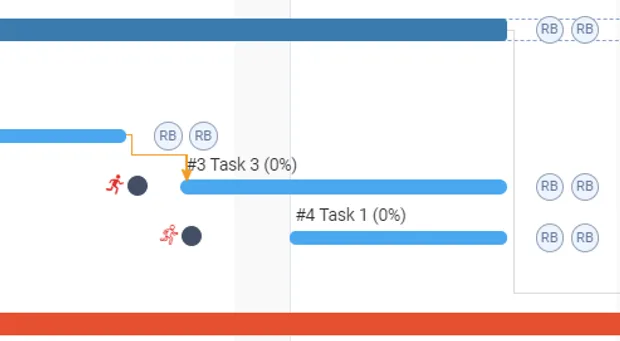
- Running man with only a red outline: a step is late, but the delay has not moved the activity or task. There is still enough time between the constraint and the activity or task for the ETA.
- Solid red running man: a step delay has moved the activity or task.
Activity constraints are managed the same way. See Manage an activity constraint.
Last updated 2023-07-10. Part of Lookahead in the Lean PlanDo manual. Lean PlanDo by Lean Station.