
Lean PlanDo manual › Lookahead
Edit a task
Change a task's name, description, dates, duration or sequence number, and see how the change affects its activity.
You can edit a task at any time. Change its name, description, start and end dates, sequence number and more.
Edit a task in the Lookahead
- Double-click the task bar in the Lookahead.
- Click Edit (pencil icon) at the top of the detailed view. You need permission to edit tasks.
- Change the details.
- Click the tick icon to save. The cross icon cancels.
Edit a committed task in the Do tab
- In the Do tab, open the Tasks view (it opens by default).
- Double-click the task.
- Click Edit (pencil).
What changes when you edit dates or duration
- Change Expected Start to advance or delay the whole task.
- Increase or decrease the duration to move the end date of the task.
- How a change to the start date or duration affects the activity depends on where the task sits under the activity.
- A task delayed beyond the activity end date extends the activity end date, if the task is in the Do week (the first week of the Lookahead, where tasks can be committed; it should be the current calendar week). If not, you cannot extend the task beyond the activity end date.
Delete a task
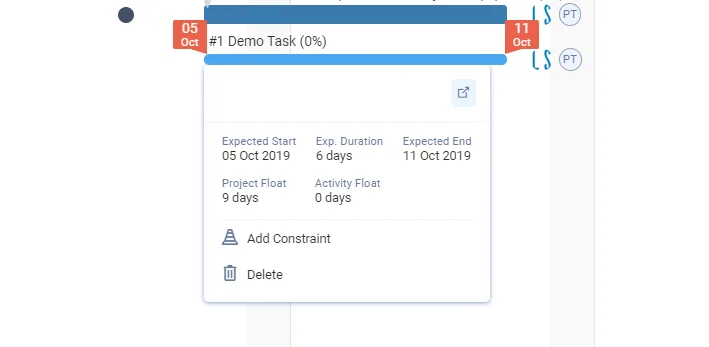
Delete a task you no longer need from its Mini Widget (click the task once) or from the three-dots menu in its detailed view. In the Do tab the detailed view has no three-dots menu. You cannot delete a task that is committed or in progress, or without delete permission. See Delete a task.
Delay or advance the rest of a started task
As with activities, you can delay or advance the Remaining Early Start (RES) of a task that has started but is not finished. RES is the date the remaining work of a started activity or task resumes. Its date picker is labelled Rem. Early Start. Use this to delay the rest of a task from the Do week to next week, if site conditions do not let you resume work at once.
For a task with an RES, end date = RES date + remaining duration.
Editing an activity works the same way as editing a task. Read Edit an activity in the Masterplan to learn more.
Last updated 2023-07-10. Part of Lookahead in the Lean PlanDo manual. Lean PlanDo by Lean Station.