
Lean PlanDo manual › Lookahead
Delete a task
Remove a task you no longer need from the schedule, and see which tasks cannot be deleted.
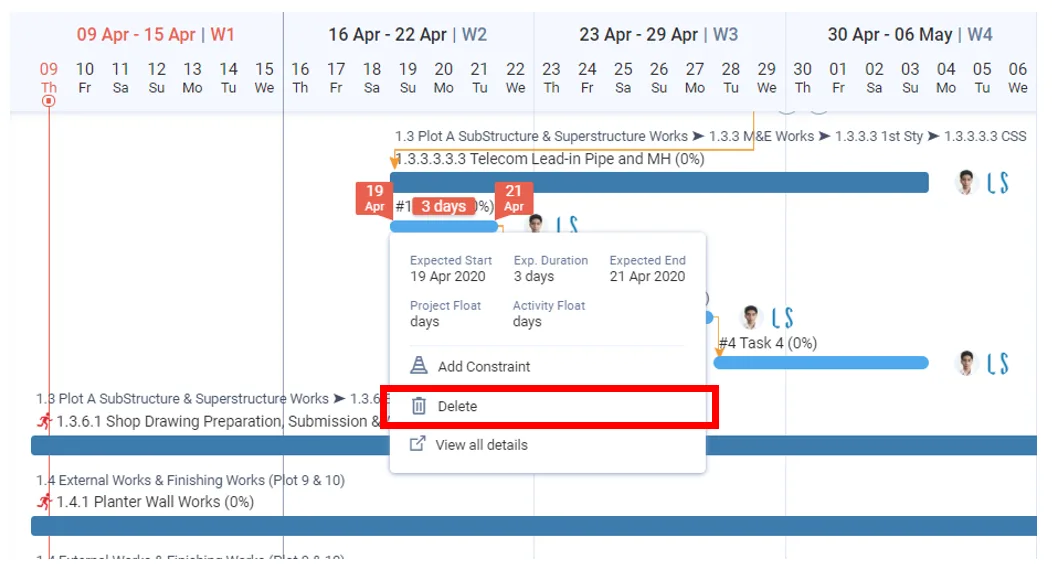
Delete a task when it is no longer needed. Lean PlanDo removes it from the schedule completely.
- Click the task once to open its widget.
- Click Delete.
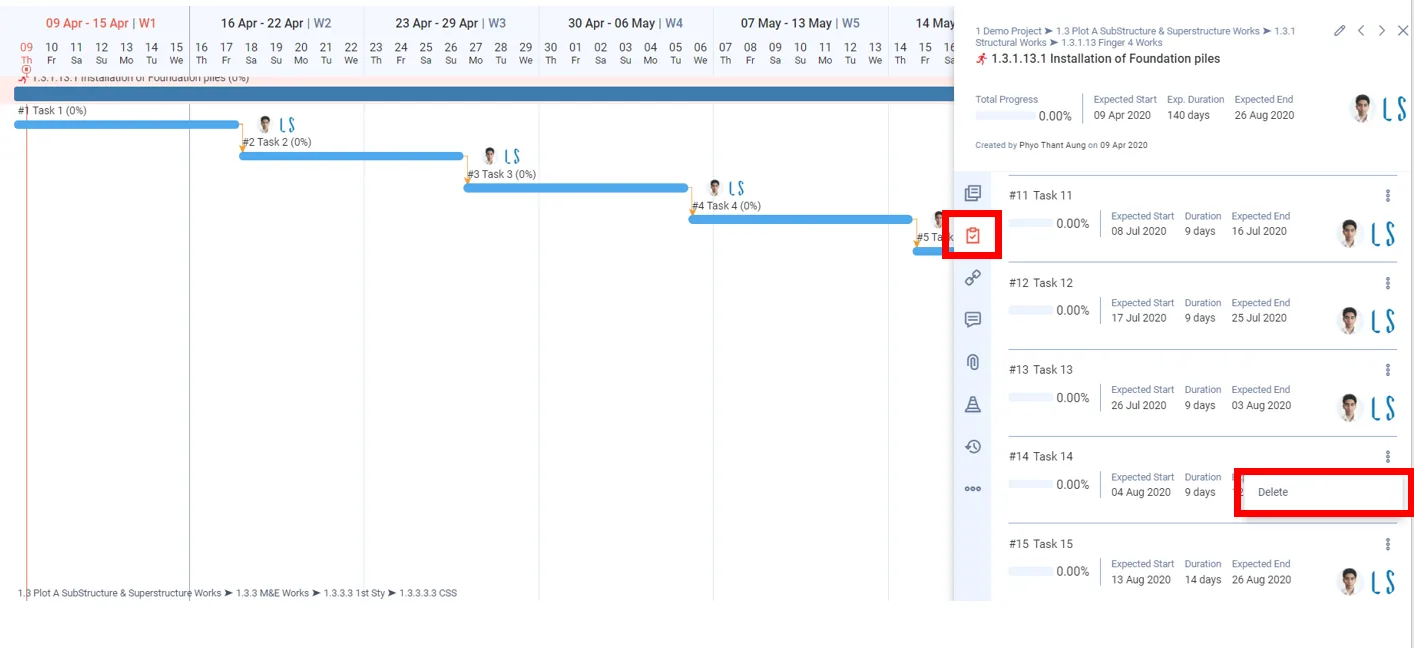
Or open the task's detailed view, open its three-dots menu and click Delete. Both show only for uncommitted tasks and for users with delete rights.
You cannot delete a task that is:
- committed
- in progress or partly updated
- fully updated
To delete a committed task, uncommit it first: turn off the Commit switch in its widget or detailed view. Then delete it. A started task cannot be uncommitted.
Delete a task outside the Lookahead window
If a task is not visible in the Lookahead window, delete it from the detailed view of its activity.
- Open the activity's detailed view from the Lookahead. Delete is hidden when you open it from the Masterplan.
- In its task list, open the task's menu.
- Click Delete. The menu shows Edit and Delete for uncommitted tasks.
Watch a demo of deleting tasks:
Last updated 2023-07-10. Part of Lookahead in the Lean PlanDo manual. Lean PlanDo by Lean Station.