
Lean PlanDo manual › Mobile Apps
The Lean PlanDo Site app
Install the Lean PlanDo Site app on Android or iOS and use it to track and update site work on the go.
Install the Lean PlanDo Site app to track and update site work on the go. It is available for Android and iOS.
Log in to the app with the same details you use for app.leanplando.com.
What you can do in the app
- See an overview of task status and constraint status for the current, previous and next weeks.
- See the list of tasks planned for a week.
- Commit tasks to the week's Do tab, or uncommit them.
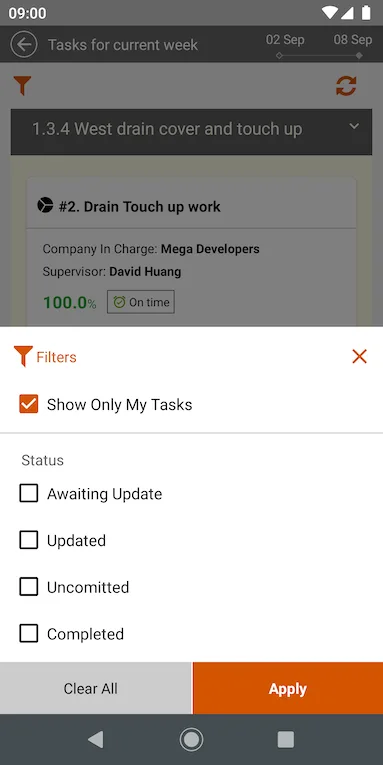
- Filter the week's tasks by status, such as awaiting update or completed.
- Update task progress, or delay a task to a future date.
- Attach photos to a task. See Adding photos as attachments.
- See the constraints (work that must be cleared before a task can be done, such as getting site access) attached to a task.
- See the list of constraints planned for the week.
- Mark constraints as Done or Not Done.
Screens in the app
Dashboard
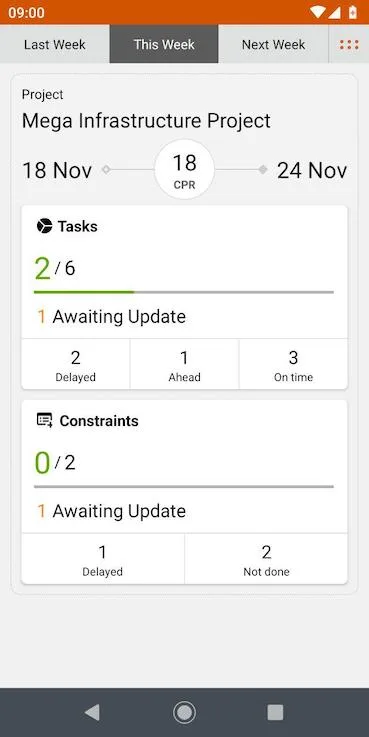
The dashboard shows task and constraint status for the Do week (the first week of the Lookahead, where tasks can be committed; it should be the current calendar week). CPR (Construct Plan Reliability) is the number of tasks done divided by the number of tasks planned for the week. See Understanding the dashboard.
Weekly tasks
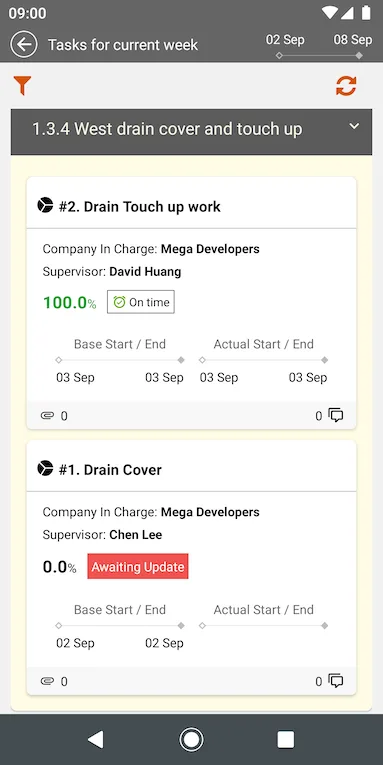
Tap anywhere on the task status widget in the dashboard to open the week's task list. This example shows 2 tasks in the week from 2 to 8 September.
You can filter the weekly tasks with these options.
Update a task
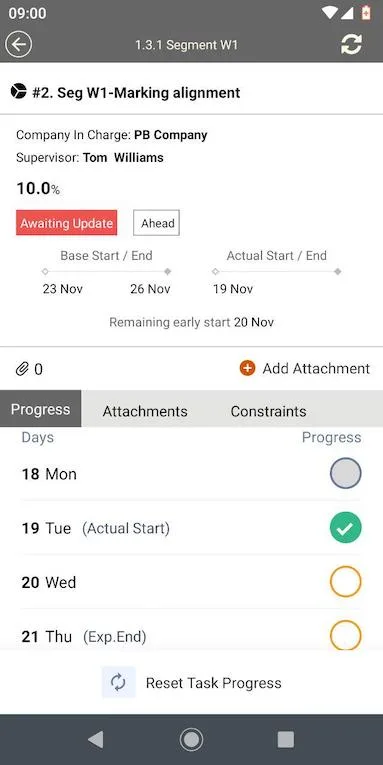
Tap a task in the weekly list to update its progress. Orange circles mark the days the task is planned for in the week. Green ticks mark days whose progress is already updated.
Weekly constraints
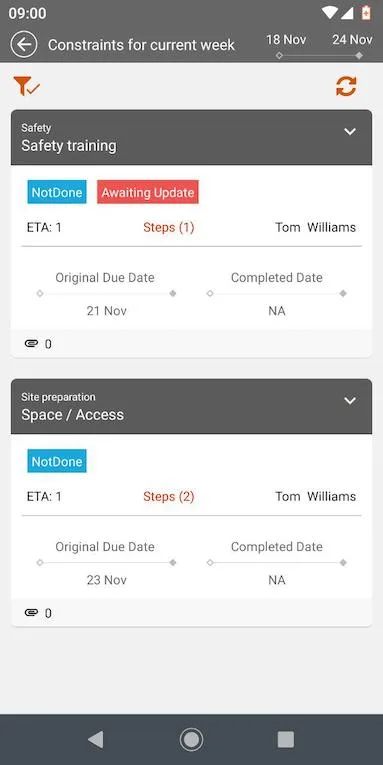
The constraint list shows the week's constraints, here 18 Nov to 24 Nov. Each shows its status, due date and the person responsible. Tap a constraint to open its detail view.
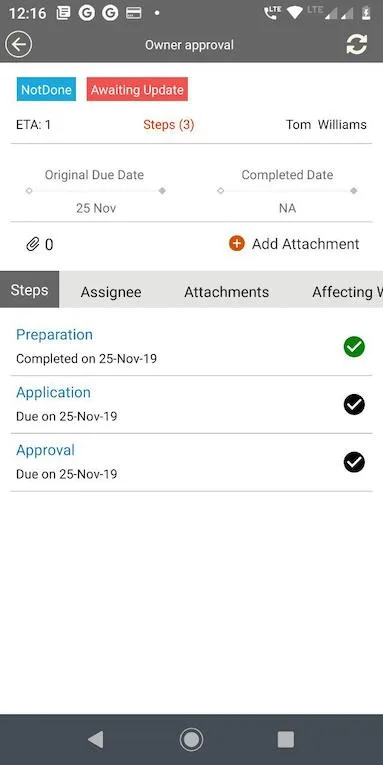
The detail view lists the steps that make up the constraint, with their due dates. A green tick means the step is complete.
Last updated 2019-12-05. Part of Mobile Apps in the Lean PlanDo manual. Lean PlanDo by Lean Station.