
Lean PlanDo manual › Mobile Apps
Adding photos as attachments
Take or choose a photo in the Lean PlanDo Site app and attach it to a task, so the office can check it and comment.
Attach a photo to a task in the Lean PlanDo Site app to report a site issue or show progress. Managers in the office see it at once and can check it and comment in the Lean PlanDo web app.
-
Open the task you want to attach the photo to.
-
Tap Add Attachment.
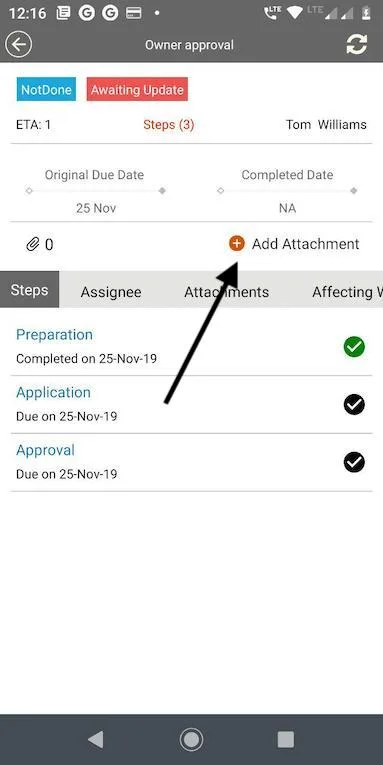
-
Choose Gallery to pick a photo, or Camera to take one.
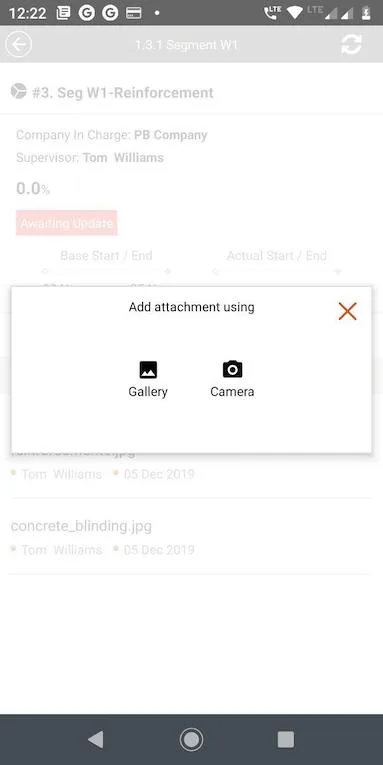
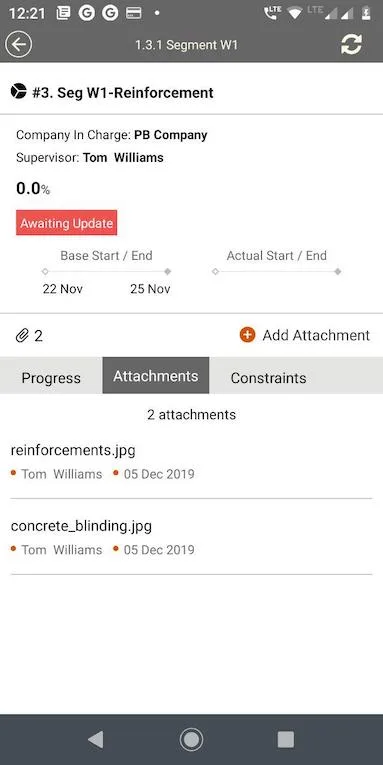
The photo appears in the task's attachment tab.
Last updated 2019-12-05. Part of Mobile Apps in the Lean PlanDo manual. Lean PlanDo by Lean Station.