
Lean PlanDo manual › Lookahead
Export two weeks of Lookahead tasks
Export the first two weeks of your Lookahead, with tasks, as an Excel file.
Besides the whole Masterplan, you can export the first two weeks of your Lookahead (the 6-week or 8-week plan where activities are broken down into smaller tasks) as an Excel file. To export the whole Masterplan, see Export the Masterplan.
-
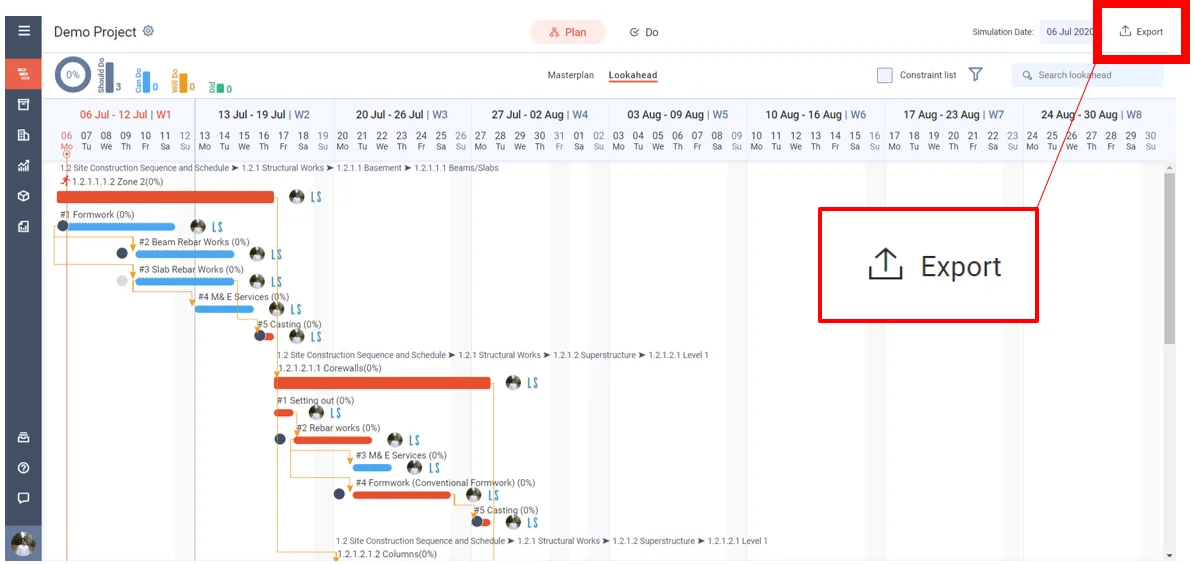
Open the Masterplan or the Lookahead. Export is in the top right corner.
-
Click Export.
-
Under Lookahead, choose Tasks (not Activities). Both choices are greyed out until the Lookahead is generated.
-
Under Period, keep 2 Weeks, the default when you pick Tasks. You can also choose 4 Weeks, or Custom to set From and To dates within the Lookahead.
-
Leave Format as .xlsx (Microsoft Excel format).
-
Click Export at the bottom of the panel. The .xlsx file downloads to your device.
Last updated 2020-08-31. Part of Lookahead in the Lean PlanDo manual. Lean PlanDo by Lean Station.