
Lean PlanDo manual › Masterplan
Export the Masterplan
Export the complete Masterplan for Microsoft Project or Primavera, and see which values can differ after import.
You can download the complete Masterplan and import it into Microsoft Project or Primavera.
-
Go to the Masterplan tab under the Plan tab.
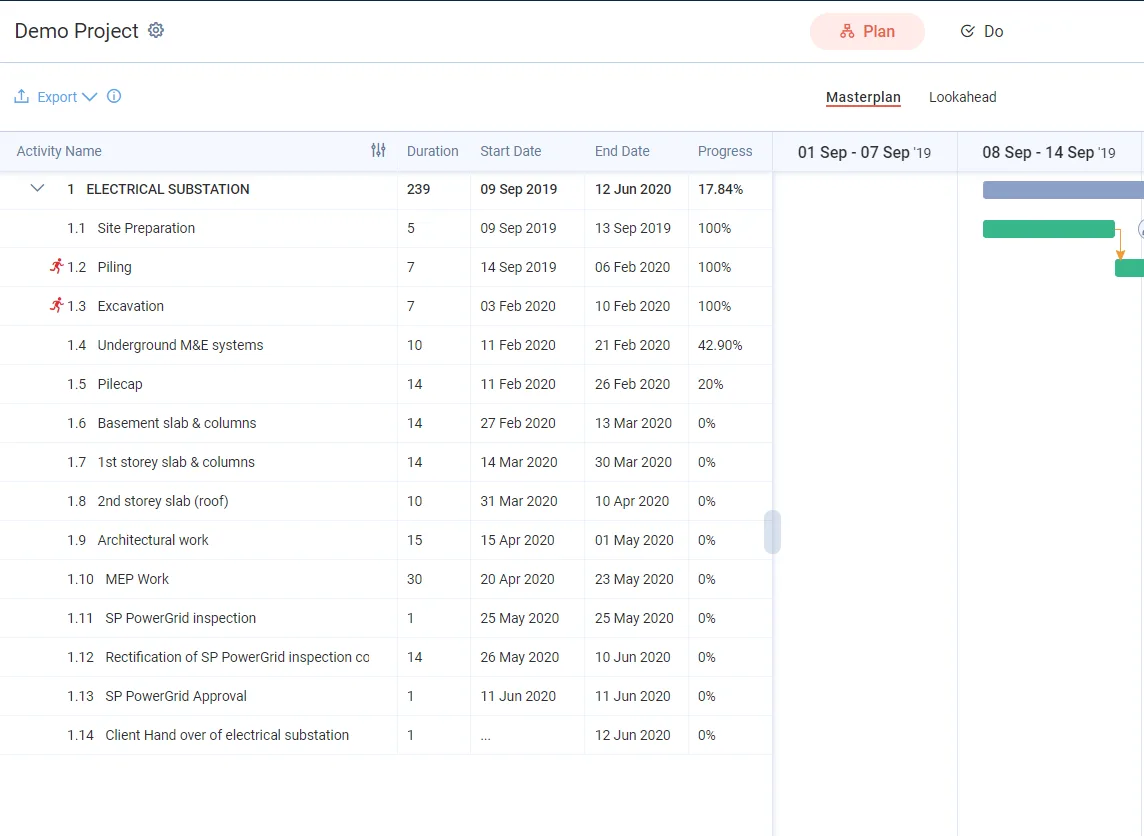
-
Click Export in the top right.
-
Choose Complete Plan.
-
Choose the format:
- .xml (.mpp) for Microsoft Project.
- .xml (.xer) for Primavera. This option shows only when the feature is switched on.
For Complete Plan, a warning with a More info link shows.
-
Click Export at the bottom of the panel. It stays disabled until you choose an option. The file downloads to your device.
-
Open the downloaded file in Microsoft Project to import it.
Why some values differ in Microsoft Project
The export takes its values directly from Lean PlanDo. Microsoft Project then recalculates some of them with its own methods. So some data will differ slightly:
- % Complete, and the Remaining Early Start and finish date of activities in progress, may differ slightly. (Remaining Early Start is the date the remaining work of a started activity or task resumes.) Lean PlanDo and Microsoft Project calculate progress and schedule differently.
- Activities scheduled in the future may get different start dates. Microsoft Project reschedules them after import from the dates it derives.
- Activities that are 100% complete stay the same.
- Baseline start, baseline end and baseline duration stay the same as in Lean PlanDo.
The export tries to keep the overall progress of the master schedule as close as possible to Lean PlanDo. Because the two applications calculate progress and schedules differently, some differences will happen.
To learn how Lean PlanDo calculates activity progress, see How progress is calculated.
To see the exact Lean PlanDo duration and progress of each activity, insert the Text1 and Text2 columns in Microsoft Project. Text1 is the activity's Duration in Lean PlanDo. Text2 is its Progress.
Last updated 2020-04-06. Part of Masterplan in the Lean PlanDo manual. Lean PlanDo by Lean Station.