
Lean PlanDo manual › Lookahead
Create a single task
Create one task under an activity in the Lookahead, and set its name, dates, sequence number, company and supervisor.
Once the Lookahead (the 6-week or 8-week plan where activities are broken down into smaller tasks) is generated, you can create tasks under an activity and manage them.
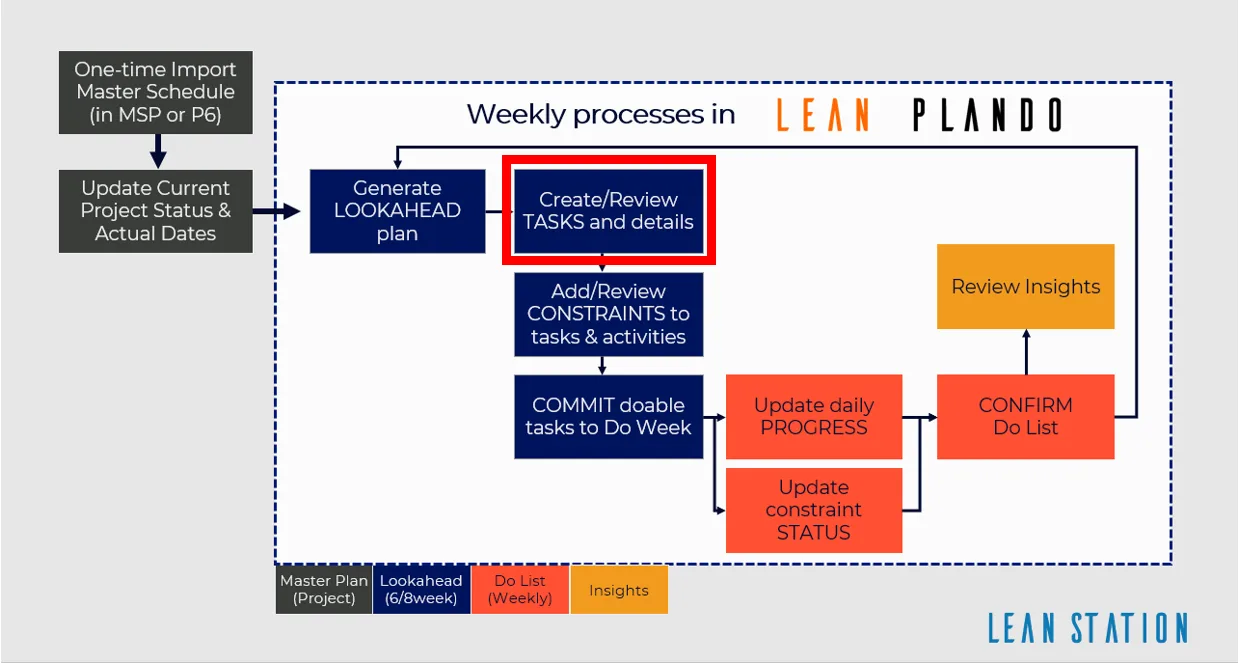
Create a task
- Click the activity bar in the Lookahead.
- Click Add Tasks.
- If the activity has no supervisor or responsible company, assign them at the top of the Add Tasks window, under the activity name. The supervisor can be a Main Contractor or Client member. The company can be the Main Contractor or a Subcontractor. If they are already set, they are locked.
- Enter the task details: Seq No., Name, Start Date, Duration and Assignee.
- Click Save. The task is created under the activity. If the supervisor or company is missing, both are highlighted and Lean PlanDo shows the message Please assign a supervisor and responsible company for the activity.
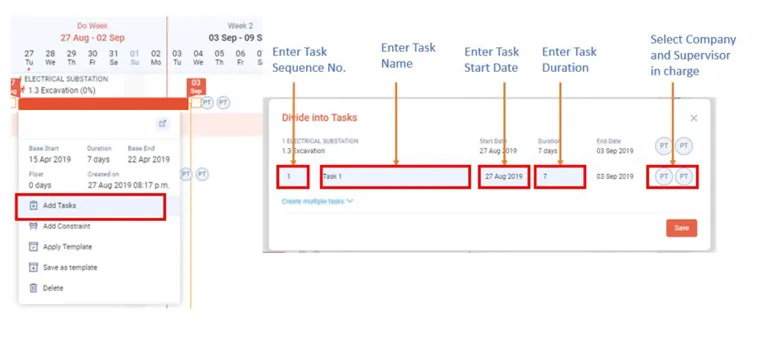
Watch how to create a single task:
Task details
Task name
- In the detailed view of an activity, under Task list, tick Enable prefix to add a task prefix. See Add a task prefix.
- A task prefix relates each task back to the activity it belongs to. For example, use the first prefix for the zone the task is in, and the second for the building level.
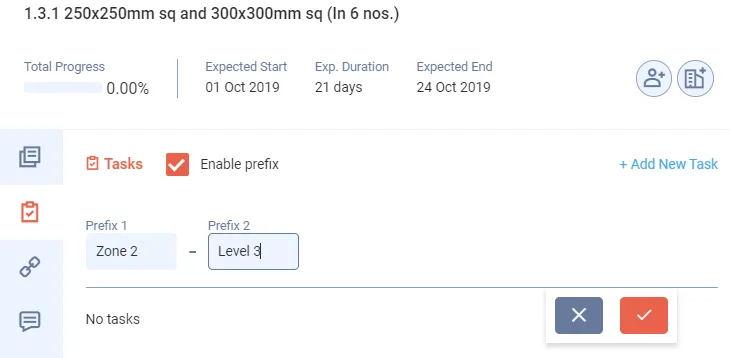
- The task prefix applies to every task created under that activity.
Start Date and Duration
- The Start Date you select is the start date of the task.
- The Duration (number of days) you enter sets the End Date of the task.
- The task's start and end dates fall within the start and end dates of the activity.
Seq No.
- The sequence number is the order of the tasks under an activity.
Company and supervisor in charge
- The company in charge is responsible for finishing the task. The assignee should be the engineer in charge from the Main Contractor company. The assigned company should be the Subcontractor company.
- The supervisor has full control over the tasks assigned to them. The supervisor oversees the work and can override the progress entered.
- In Assignee, you can pick Main Contractor or Client members as the task's user.
Last updated 2023-07-10. Part of Lookahead in the Lean PlanDo manual. Lean PlanDo by Lean Station.