
Lean PlanDo manual › Workflow and History
Create a workflow
Build a workflow for a Flow template: add steps and actions, set statuses and processing times, and save it.
For every template in Lean PlanDo Flow, you can create a workflow. It sets how the form is carried out among project team members. You can run workflows such as submission, verification, replies with comments and approval digitally in Lean PlanDo Flow.
Open the workflow builder
-
Create the template. See Create a blank template.
-
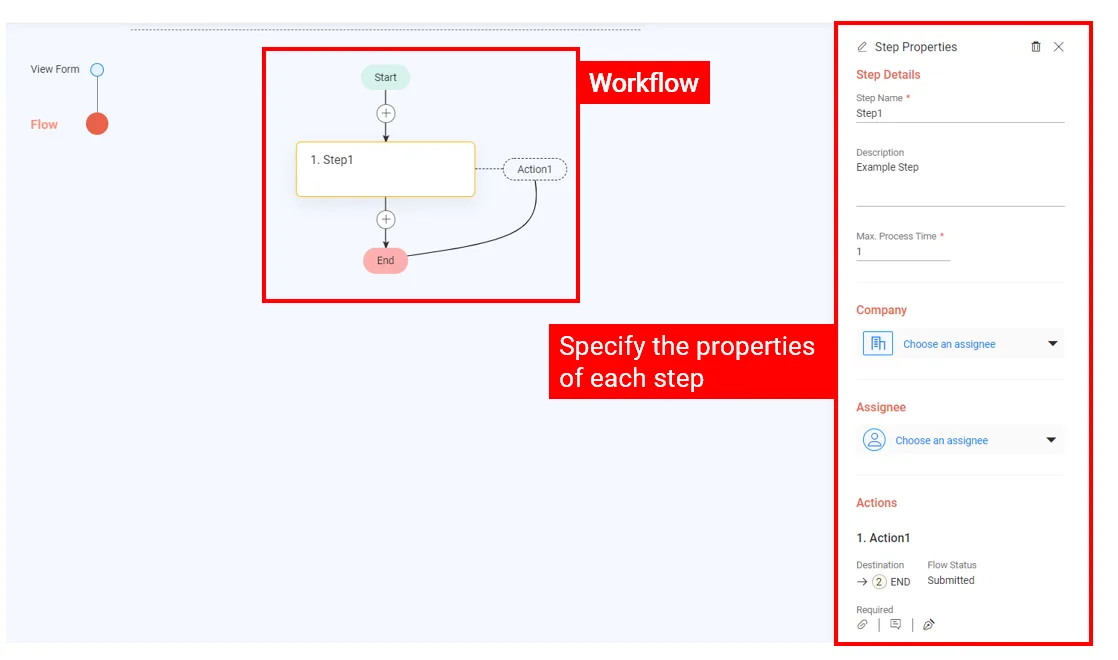
Click the Flow tab at the top of the form. The workflow builder opens.
Add steps and outcomes
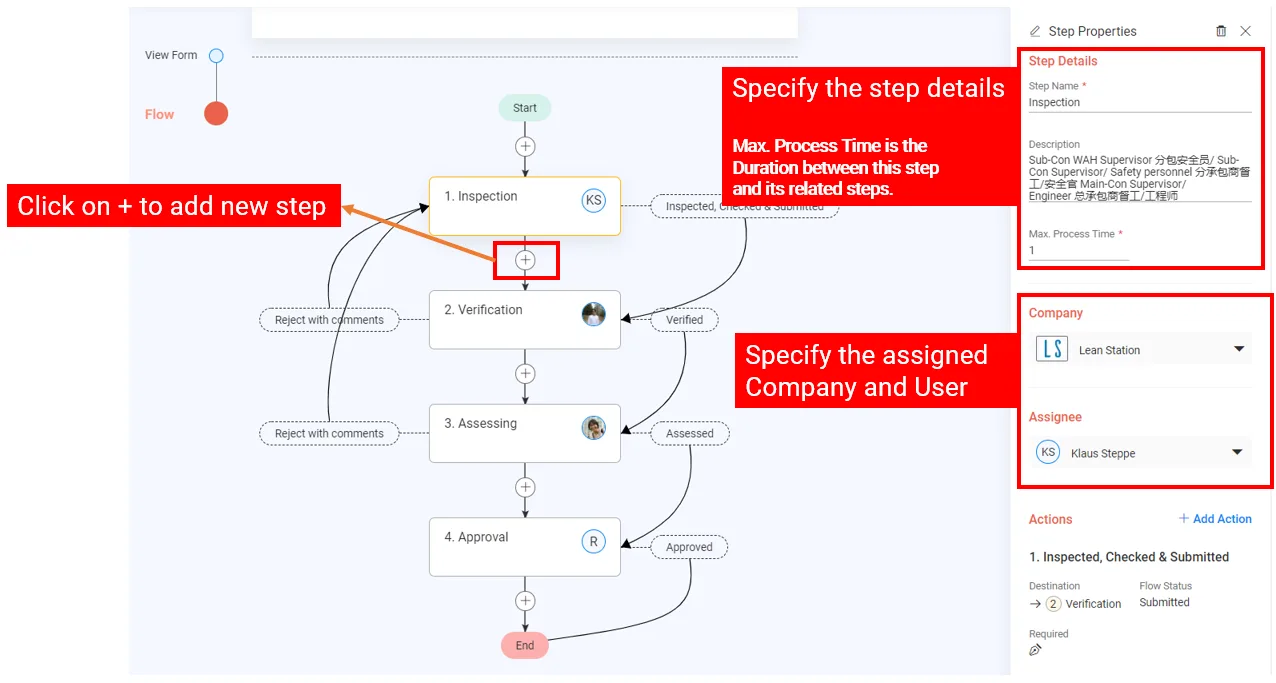
In the workflow builder you can add several steps to the form. For each step you set its properties and its outcomes. Each outcome can lead to any step in the workflow.
Assign actions to each step
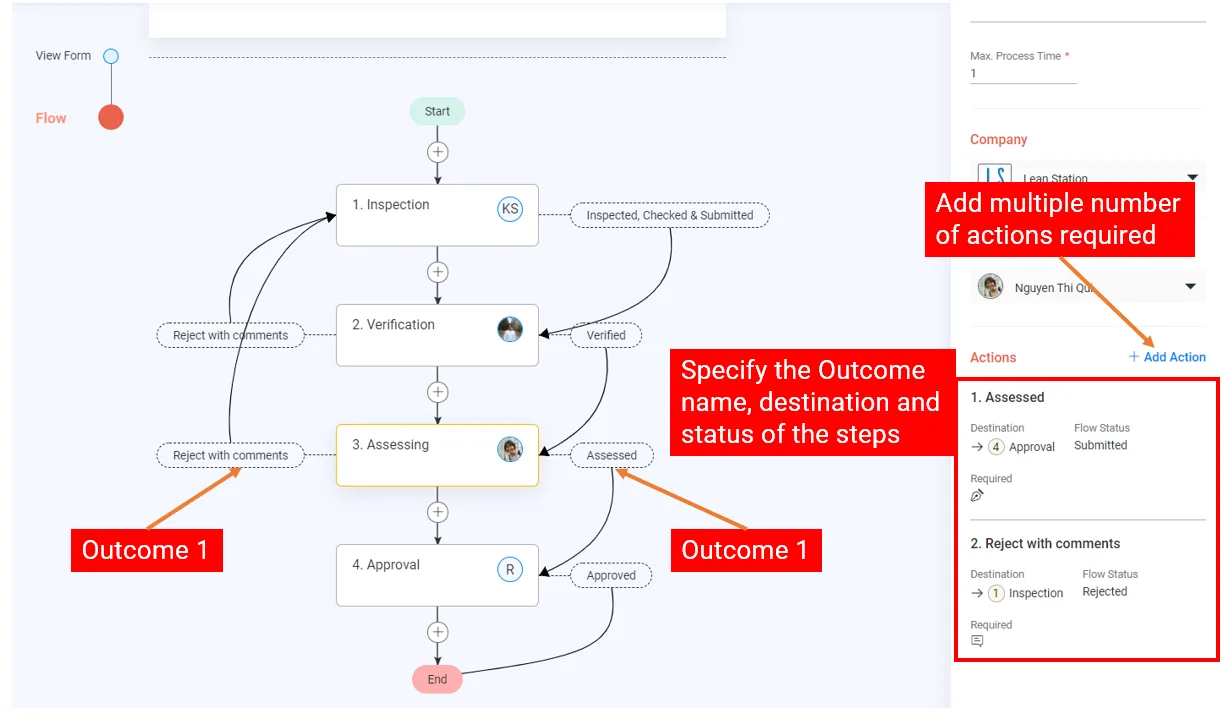
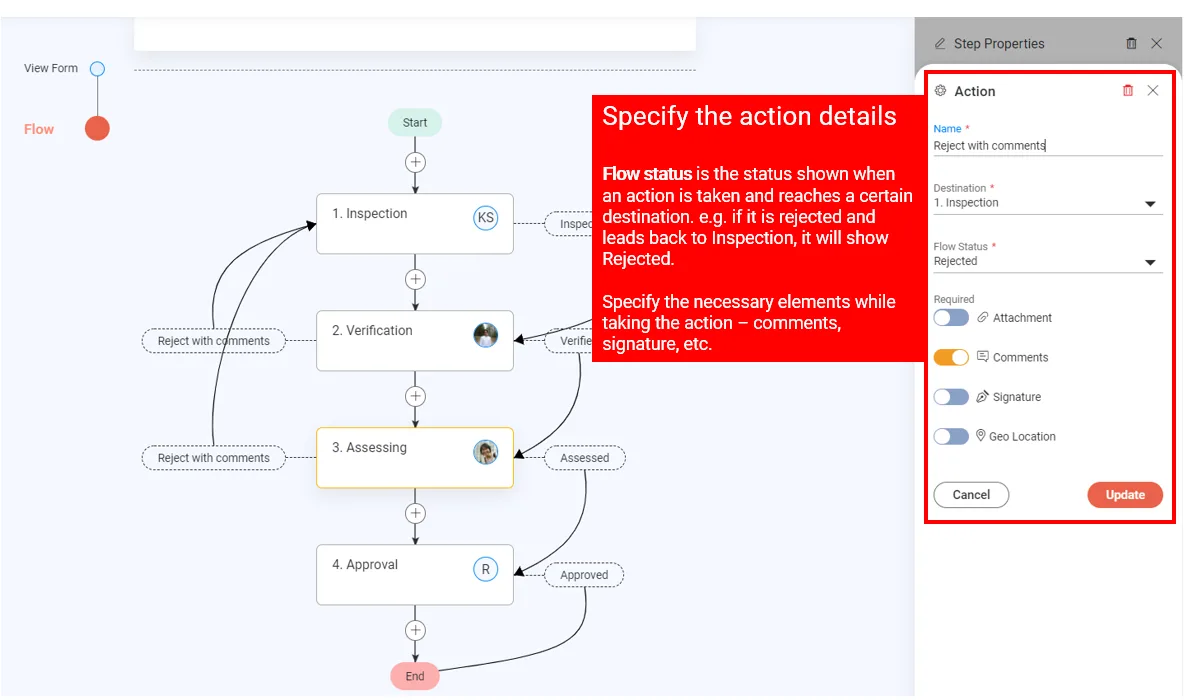
You can assign several actions to each step. Each action leads to a set destination and shows the status you specify.
Set the processing time
You can change the Max. Process Time (MPT) of each step, in days. New steps start at 1 day. This helps each party carry out the workflow on time.
Save the workflow
When the workflow is ready, click Save in the top right corner.
These are the basic steps. To build a workflow that works well, read Best practices for workflow design.
Last updated 2023-07-19. Part of Workflow and History in the Lean PlanDo manual. Lean PlanDo by Lean Station.