
Lean PlanDo manual › Lookahead
Add a task dependency
Link two tasks in the Lookahead so a successor task follows its predecessor, within one activity or across activities.
Add a dependency between tasks under an activity when one task must follow another. You do this in the Lookahead (the 6-week or 8-week plan where activities are broken down into smaller tasks).
A task dependency is the relation between two tasks. Adding a dependency makes a task the successor of a predecessor task. The successor respects the predecessor's end date.
You can also add a cross dependency between tasks under different activities, to show how they relate. The steps are the same.
Add a dependency
- Double-click the task bar in the Gantt chart.
- Open the Dependency list tab and click Add New Dependency.
- Choose Add Predecessors or Add Successors.
- In Select Predecessor Activity (or Select Successor Activity), select the activity.
- In Select Predecessor Task (or Select Successor Task), select the task.
- Choose the Type: FS, SS, FF or SF.
- Enter the Lag in days.
- Click Save.
Repeat the steps to add more dependencies.
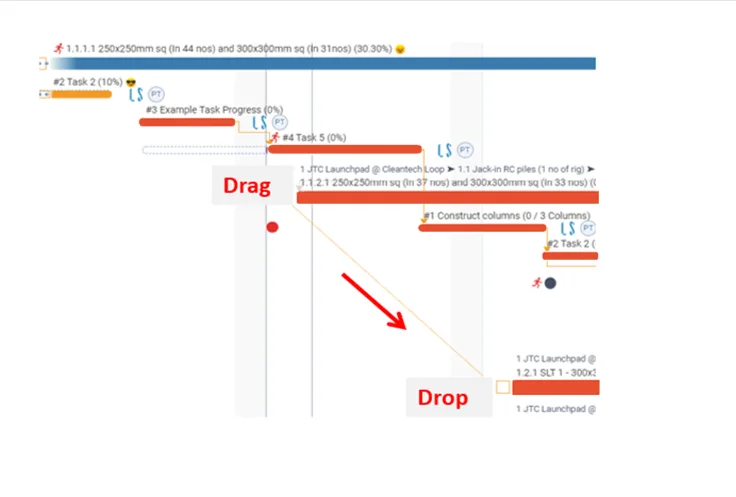
You can also add a dependency by drag and drop: drag from the box of one task to the box of another. This opens Create Dependency.
Good to know
Dependency types:
- FS: Finish-Start
- SS: Start-Start
- FF: Finish-Finish
- SF: Start-Finish
Lag is the number of days added between a predecessor and its successor.
You cannot add a predecessor to a committed task. The app shows "A predecessor dependency cannot be added for a committed task".
The Dependency list tab does not show in the Do tab.
Activity dependencies are added the same way. See Add an activity dependency.
Last updated 2023-07-10. Part of Lookahead in the Lean PlanDo manual. Lean PlanDo by Lean Station.