
Lean PlanDo manual › Masterplan
Update an activity constraint due date
Delay or advance an activity constraint by changing the due date of its last step, and see where the delay is recorded.
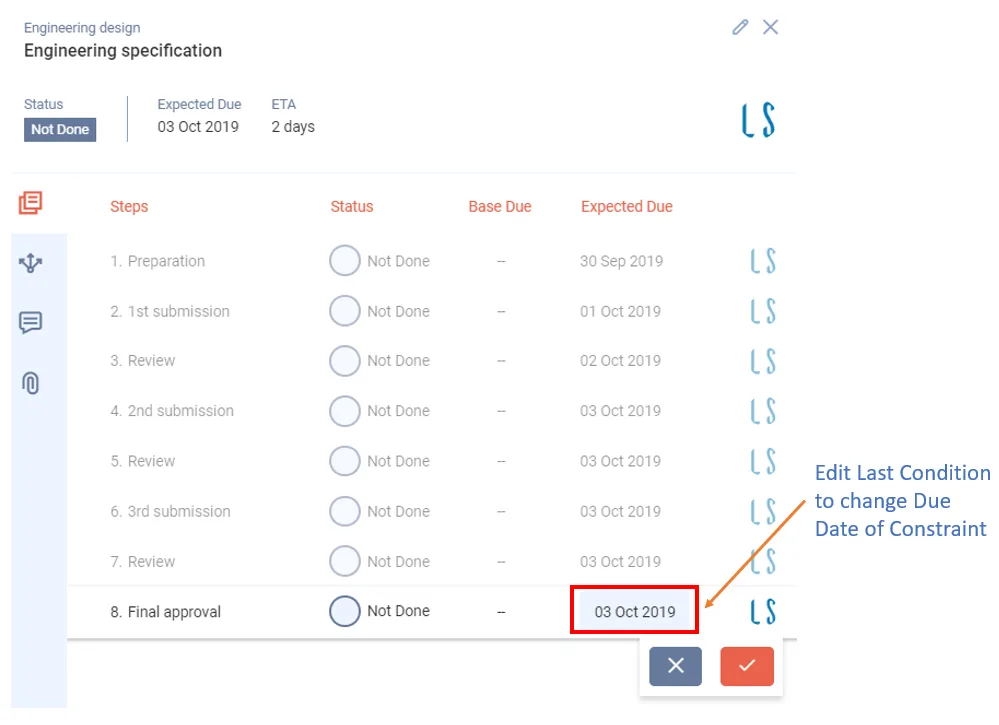
To delay or advance an activity constraint, change its due date. For example, if an approval constraint is delayed, set its due date to a future date. This can delay the activity as well.
The app records every delay to an activity constraint, with the reason and the person responsible. To see these details, click the constraint and open the Delay history tab.
To change the due date:
- Double-click the constraint. It shows as a circle in line with its activity.
- Click Edit (pencil icon) on the last step of the constraint.
- Select the new due date for the last step.
- Click Tick.
You can do this in both the Masterplan and the Lookahead.
Updating a task constraint due date works the same way. See Update a task constraint due date.
Last updated 2023-07-10. Part of Masterplan in the Lean PlanDo manual. Lean PlanDo by Lean Station.