
Lean PlanDo manual › Do List
Reset task progress
Correct wrong progress on a task by undoing the last entry or resetting all progress.
If progress was entered wrongly, or a supervisor needs to correct progress entered by a sub contractor, you can undo or reset it.
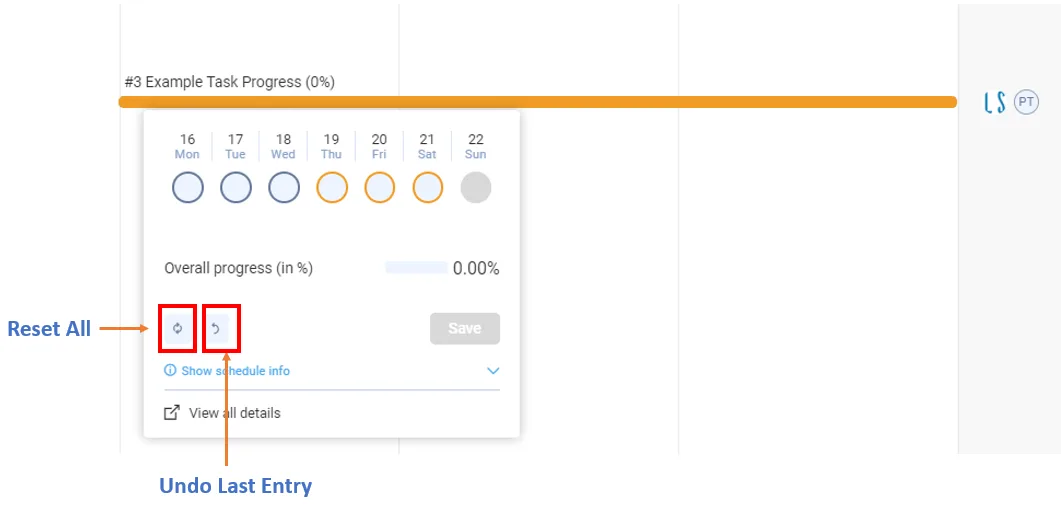
The progress widget in the Do tab has two icons for this. They have no labels or tooltips:
- One resets the entire progress of the task.
- The other undoes the last entry. For example, undoing an entry of 20% set the task back to 0%.
You can do this in the progress widget in the Do tab and in the Progress update tab of the task's detailed view. In the detailed view, the icons are disabled if you have no progress access or the project is read-only.
Last updated 2019-09-25. Part of Do List in the Lean PlanDo manual. Lean PlanDo by Lean Station.