
Lean PlanDo manual › Masterplan
Rename an activity
Change the name of a Masterplan activity at any time from its edit form.
You can rename an activity in the Masterplan at any time.
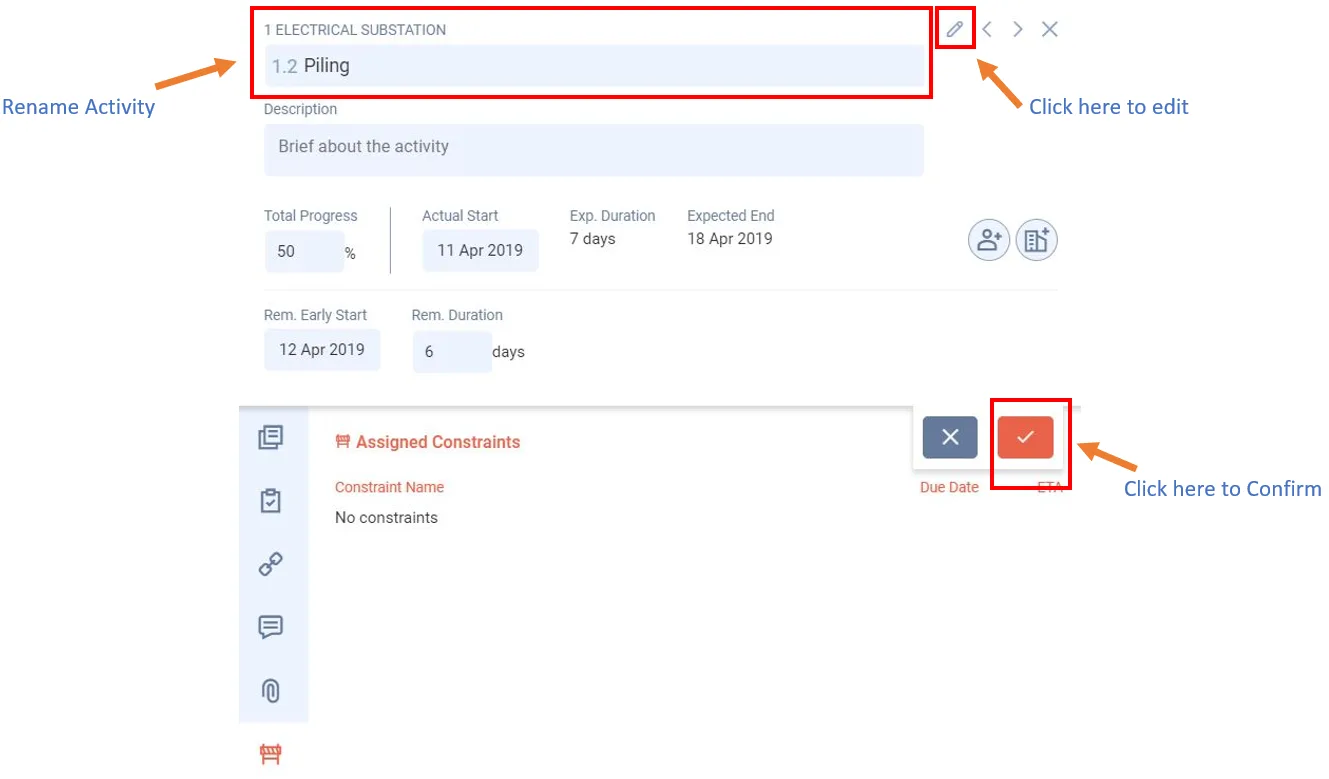
- Double-click the activity bar to open its detailed view.
- Click Edit (the pencil icon). It shows only if your role can edit activities.
- Type the new name in the name box at the top.
- Click the tick to save.
Last updated 2023-07-10. Part of Masterplan in the Lean PlanDo manual. Lean PlanDo by Lean Station.