
Lean PlanDo manual › Masterplan
Project critical path
See which activities are on the critical path, read their float, and filter the Masterplan to show only critical works.
Use the critical path (the activities and tasks where any change moves the project end date) to track which works are most critical to the project.
Critical activities and float
Critical activities are activities with 0 float. The chain of critical activities is the critical path.
Float is the number of working days an activity can be delayed without changing the project end date (total float).
When an activity has no float, any change to it also changes the project.
For example, activity A comes before activity B, and A has a Float of 3. A can finish up to 3 working days late and the project end date stays the same. B may still start later. If A slips 5 working days, the project end date moves by 2 working days.
Click an activity bar once to see its Float in the Mini Widget: how many working days it can slip before the project end date moves. Float also shows on the activity's Overview tab in its detailed view.
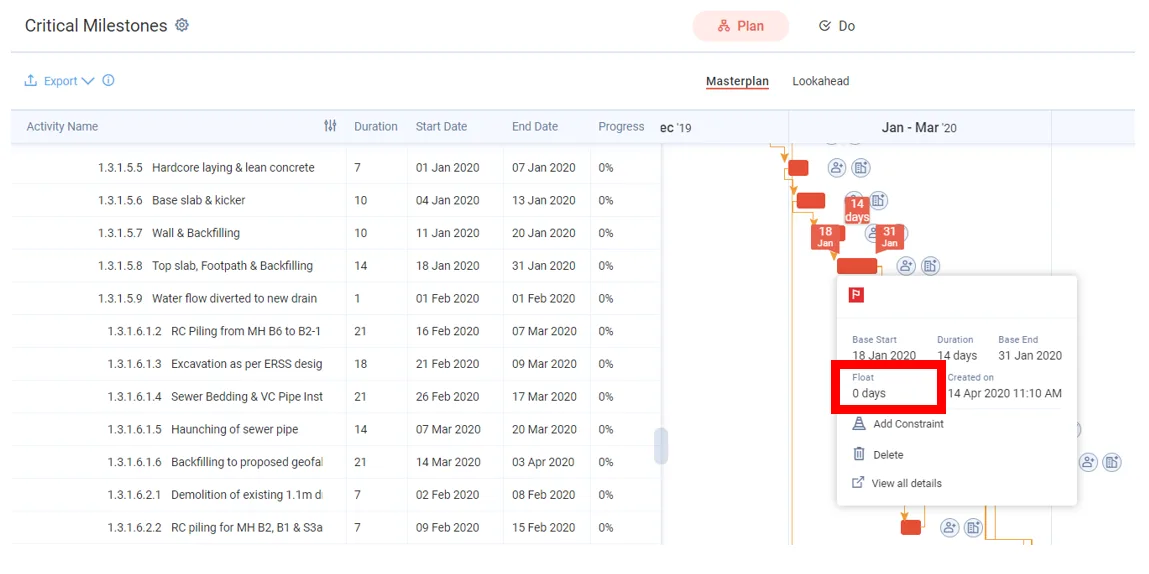
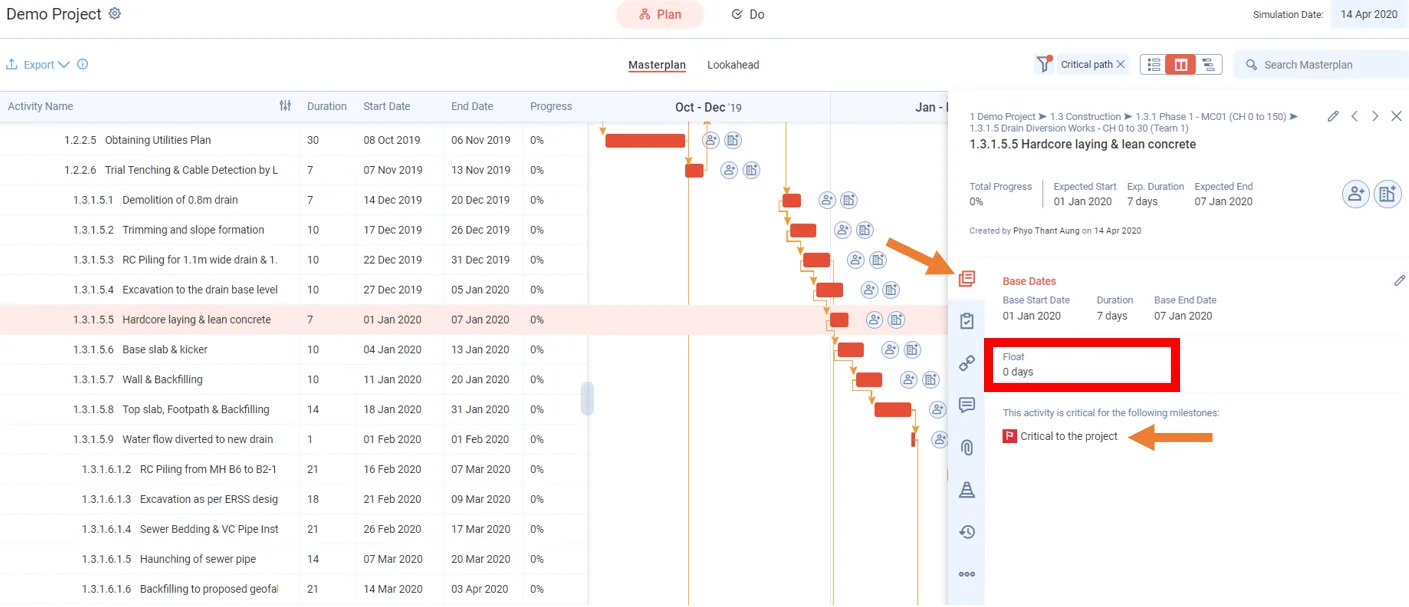
Critical activities in the Gantt chart
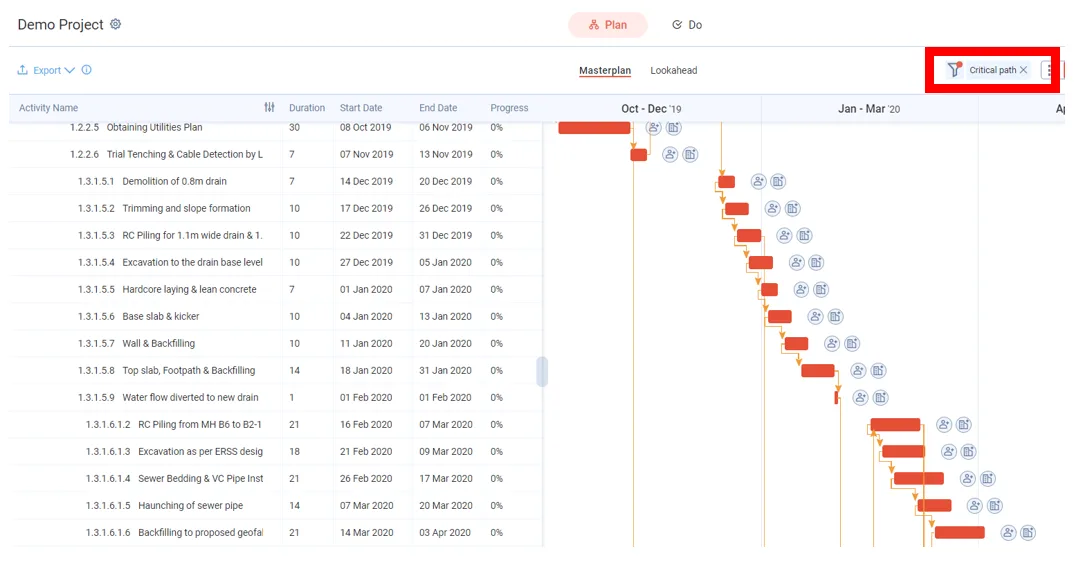
In the Gantt chart, critical activities show as solid red bars. Every activity with this colour has 0 float.
In the Lookahead, an unfinished task with zero float has a thin red outline, or the colour of its critical milestone. An unfinished task on the path to a critical project milestone is a filled red bar. A finished task shows neither.
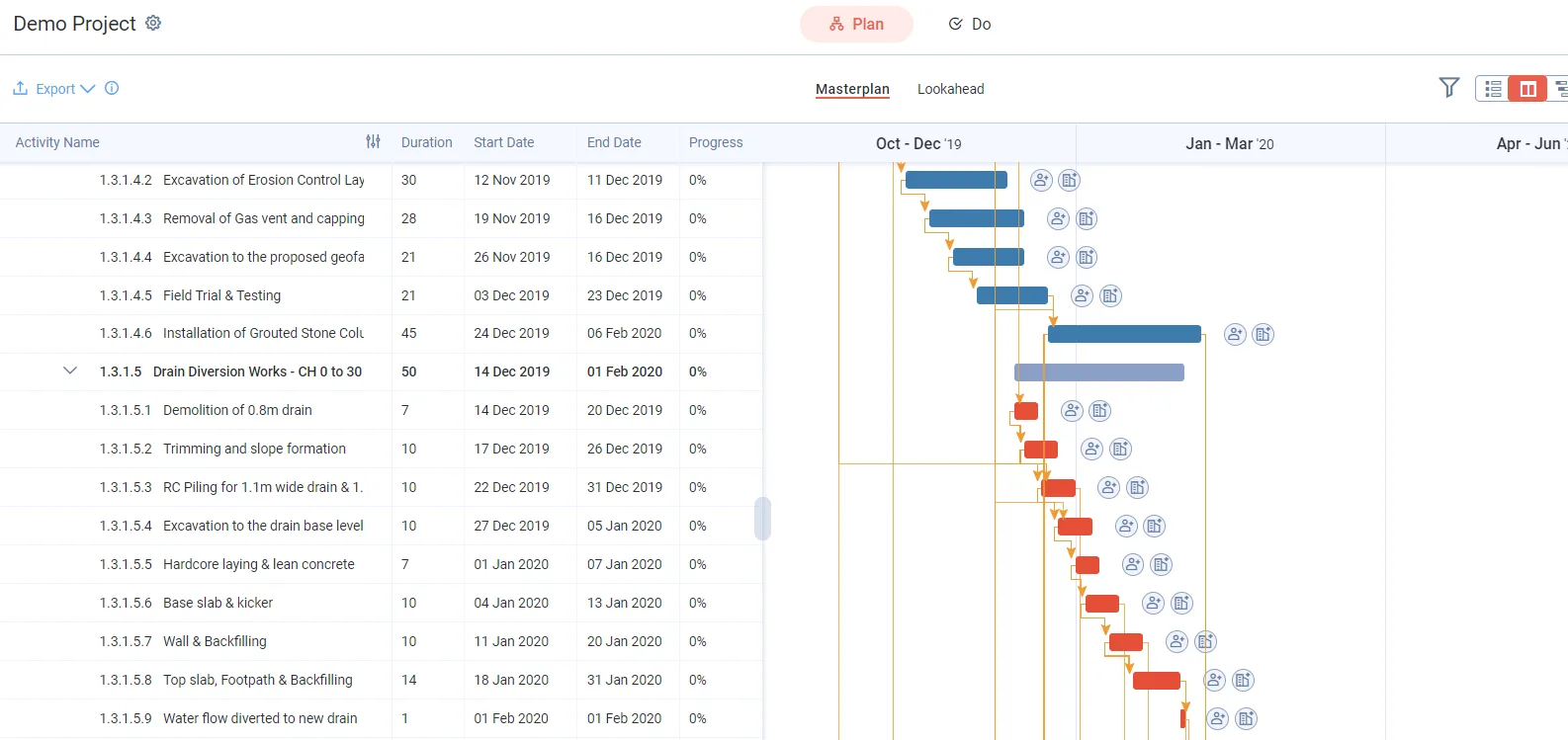
Show only the critical path
-
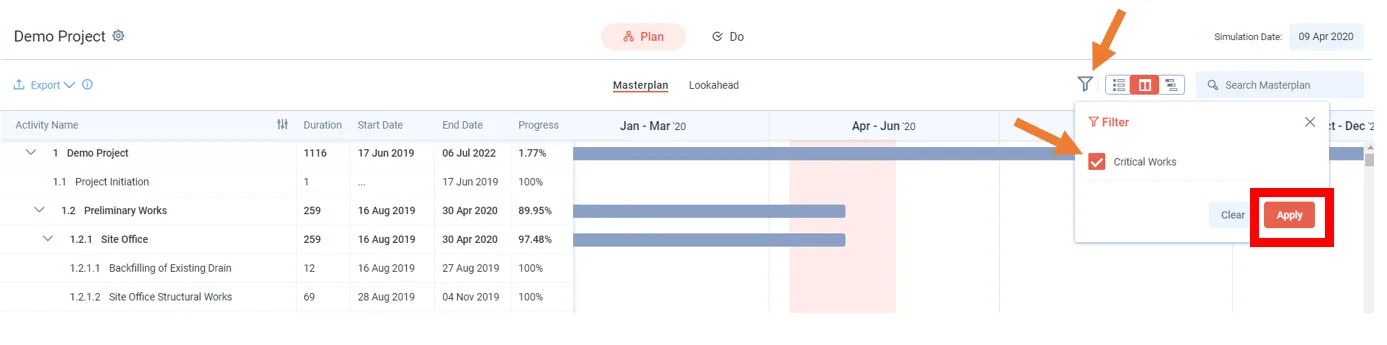
In the Masterplan, click the filter button.
-
Tick Critical Works.
-
Click Apply. The Masterplan now shows only the critical path.
Last updated 2020-04-14. Part of Masterplan in the Lean PlanDo manual. Lean PlanDo by Lean Station.