
Lean PlanDo manual › Lookahead
Generate the Lookahead
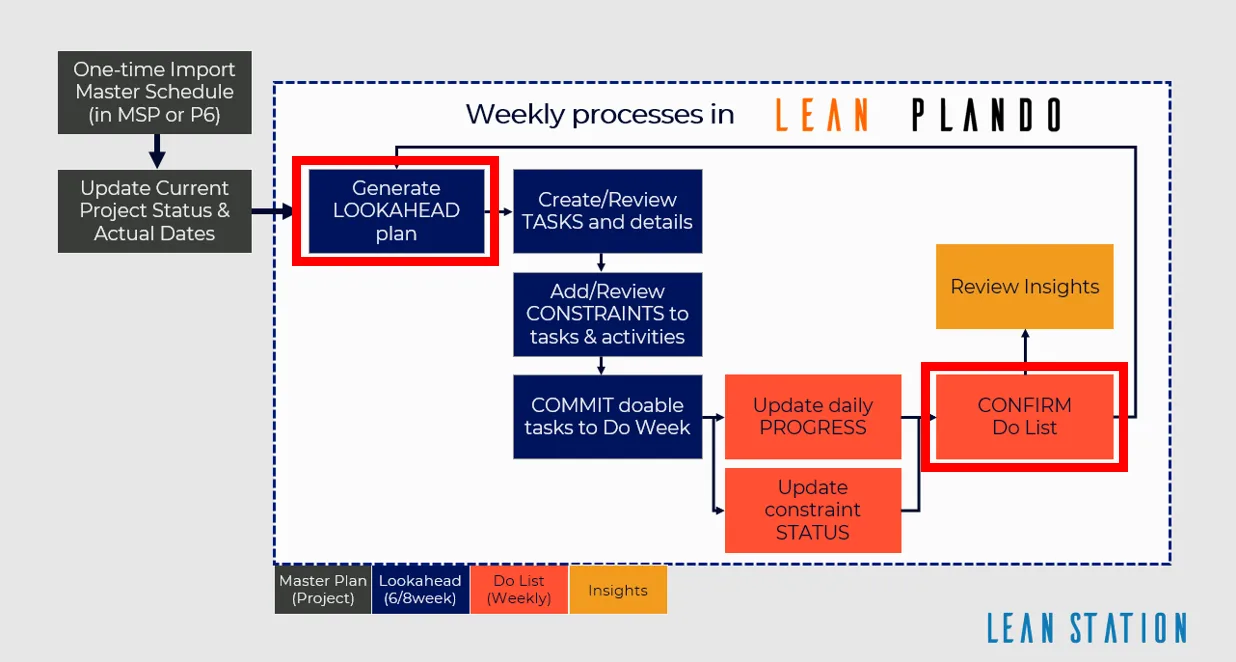
Generate your project's first 6 or 8 week Lookahead once the Masterplan is pre-configured, and see what the Lookahead screen shows.
Generate the Lookahead (the 6-week or 8-week plan where activities are broken down into smaller tasks) to manage your project's planning at a more detailed level.
In the Lookahead you plan both the construction sequence (tasks) and the preparation work (constraints: work that must be cleared before a task can be done, such as getting site access). The Lookahead size, 6 or 8 weeks, is set when you create the project.
You can generate a Lookahead when:
- the Masterplan has been pre-configured
- your role allows you to confirm the Do tab
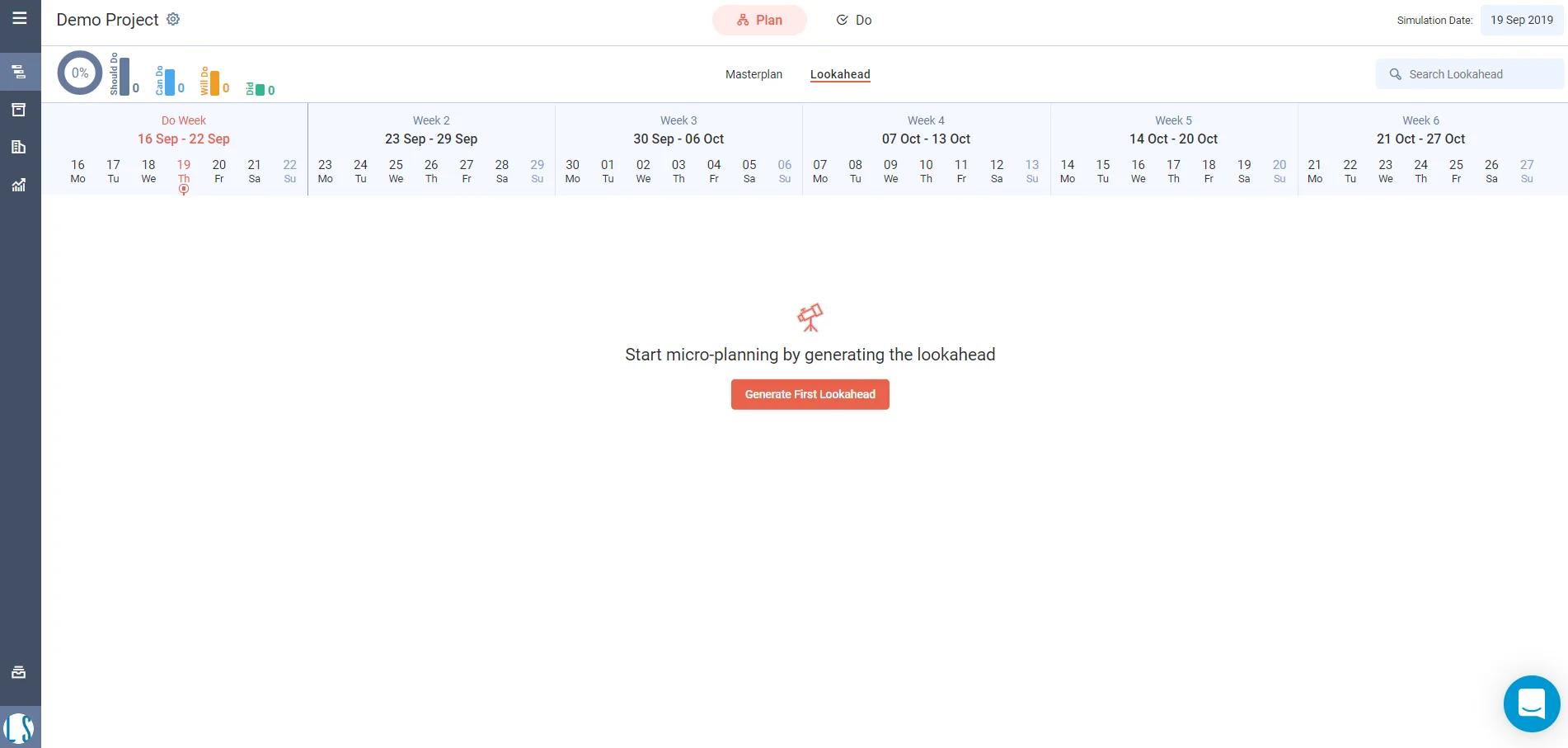
Generate the first Lookahead
When the Lookahead is empty, it shows the message Start micro-planning by generating the lookahead.
- Click Generate First Lookahead.
On Flow-schedule projects with the Lookahead dashboard turned on, a Dashboard tab also shows. Its widgets are Status Summary, Project Dates, Do week critical, Task Summary, Planflow Summary, Progress Curve and Forward Planning.
Lookahead header
The Lookahead header shows:
- Should Do: the number of tasks in the Do week (the first week of the Lookahead, where tasks can be committed; it should be the current calendar week)
- Can Do: the Should Do tasks with no open constraint on the task, on its activity, or on any task before it in the same activity; dependencies on tasks in other activities do not count
- Will Do: the Can Do tasks the project team has committed
- Did: the committed tasks completed in the Do week
- CPR: a progress circle to the left of the counters. CPR = Did / Should Do x 100, the share of Should Do tasks that were done.
Auto create tasks
In the Gantt view, the Auto create tasks for this Lookahead icon button creates one task for each leaf activity (an activity with no sub activities; you record progress here) in the Lookahead that:
- is not a milestone
- is not finished
- has no tasks yet
- has both a supervisor and a responsible company
Each new task takes the activity name. It runs from the latest of the Lookahead start, the Remaining Early Start (the date the remaining work of a started activity or task resumes) and the activity start, to the activity end. Other activities are listed with the reason, such as a task that already exists or a missing assignment.
Notes on planning in the Lookahead
- The Lookahead size is fixed when the project is created. It can be 6 weeks or 8 weeks.
- Planning well ahead helps you run and manage the work better.
- When the Lookahead is generated, the current date falls in the first week.
- In Lean PlanDo you plan 6 to 8 weeks ahead. You split activities into tasks, identify and add constraints, and assign responsible sub-contractors and supervisors.
- Most constraints on activities and tasks fall in the middle weeks. This is because they are prerequisite work that must be done before the activity or task can start. Managing these constraints is a major part of your team's work in Lean PlanDo.
- If you plan activities and tasks well in the first two weeks, and manage their constraints in the middle weeks, they will be ready to work on when they enter the first two weeks.
Last updated 2020-07-02. Part of Lookahead in the Lean PlanDo manual. Lean PlanDo by Lean Station.