
Lean PlanDo manual › Do List
Review past weeks in the Do tab
Look back at the tasks and constraints done and confirmed in past weeks, using the week selector in the Do tab.
To review tasks and constraints that were done and confirmed in past weeks, open the Do tab. Past weeks are sometimes called the Done list.
At the top of the Do tab, you see the date range of the week and a week button, for example Week 1.
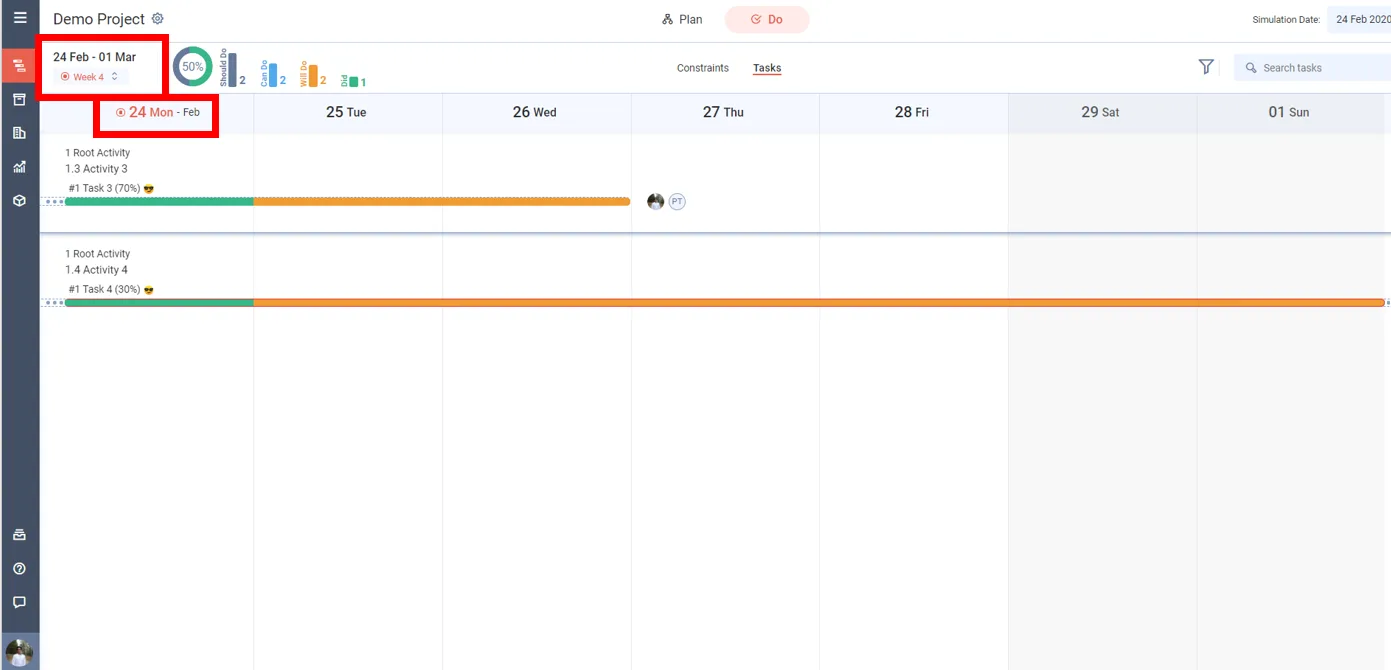
A small orange dot on the week button marks the current Do week. On a past week, a look back icon replaces the dot. The Do week is the first week of the Lookahead, where tasks can be committed; it should be the current calendar week.
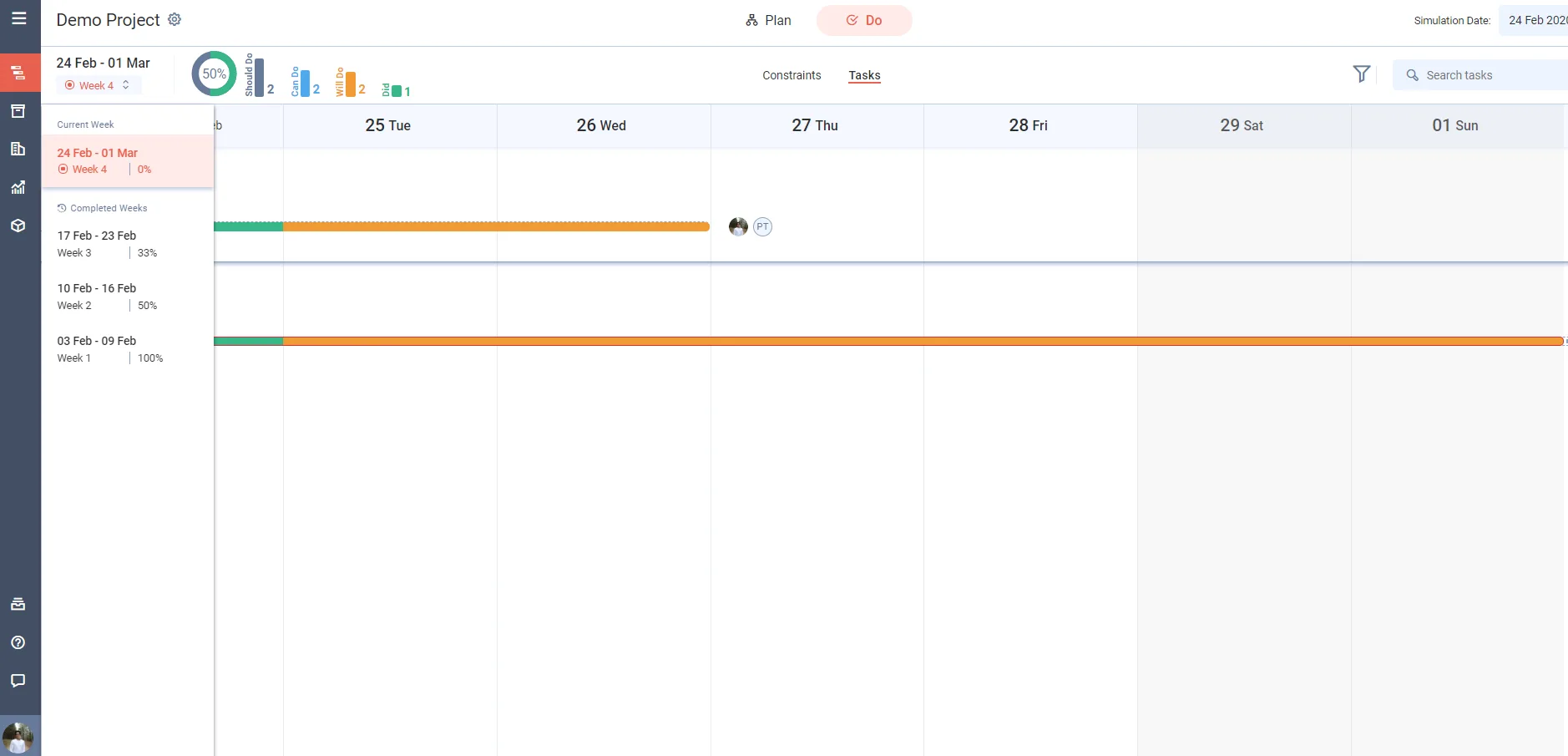
To view a past week, click the week button and choose a week under Completed Weeks. The week button does not show on the Workflows view, or when there are no past weeks.
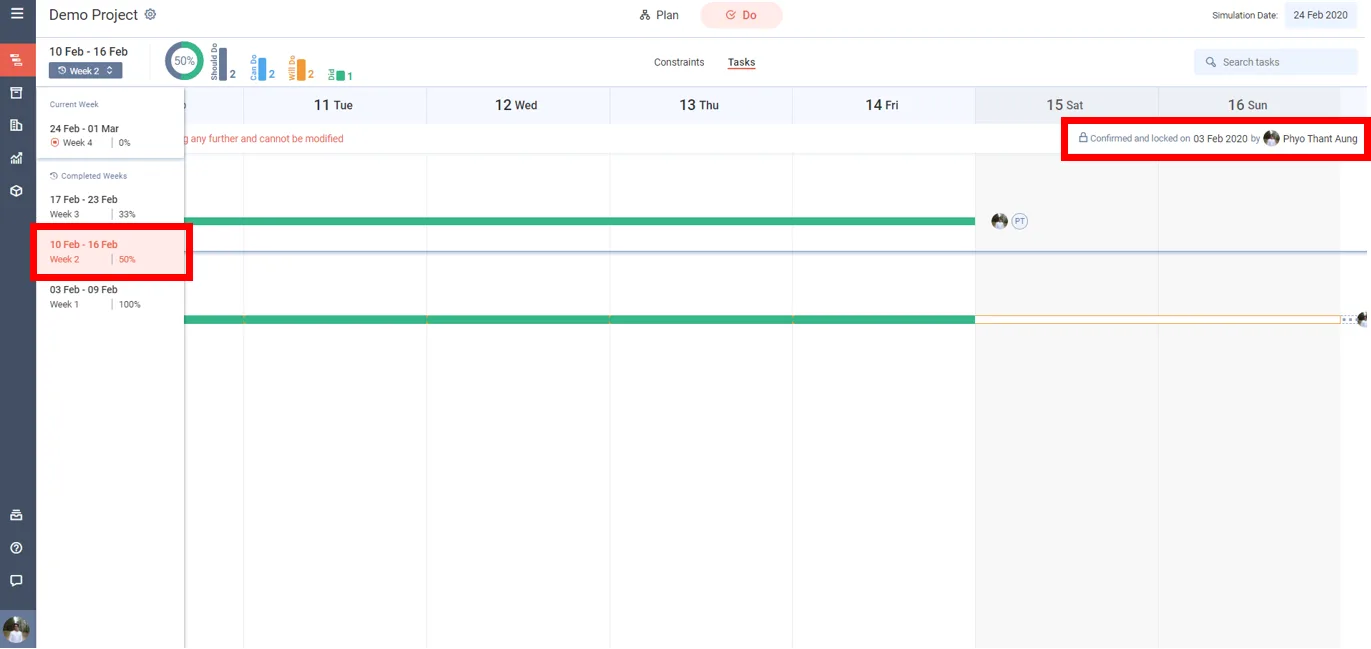
Each past week shows who confirmed and locked it, and when. It also shows that the page is locked and cannot be changed.
Last updated 2020-03-02. Part of Do List in the Lean PlanDo manual. Lean PlanDo by Lean Station.