
Lean PlanDo manual › Masterplan
Delay or advance an activity
Move an activity earlier or later in the Masterplan to match progress on site, whether it has started or not.
When work on site runs ahead or behind the plan, delay or advance the activity in the Masterplan. How you do it depends on whether the activity has started.
Activity that has not started
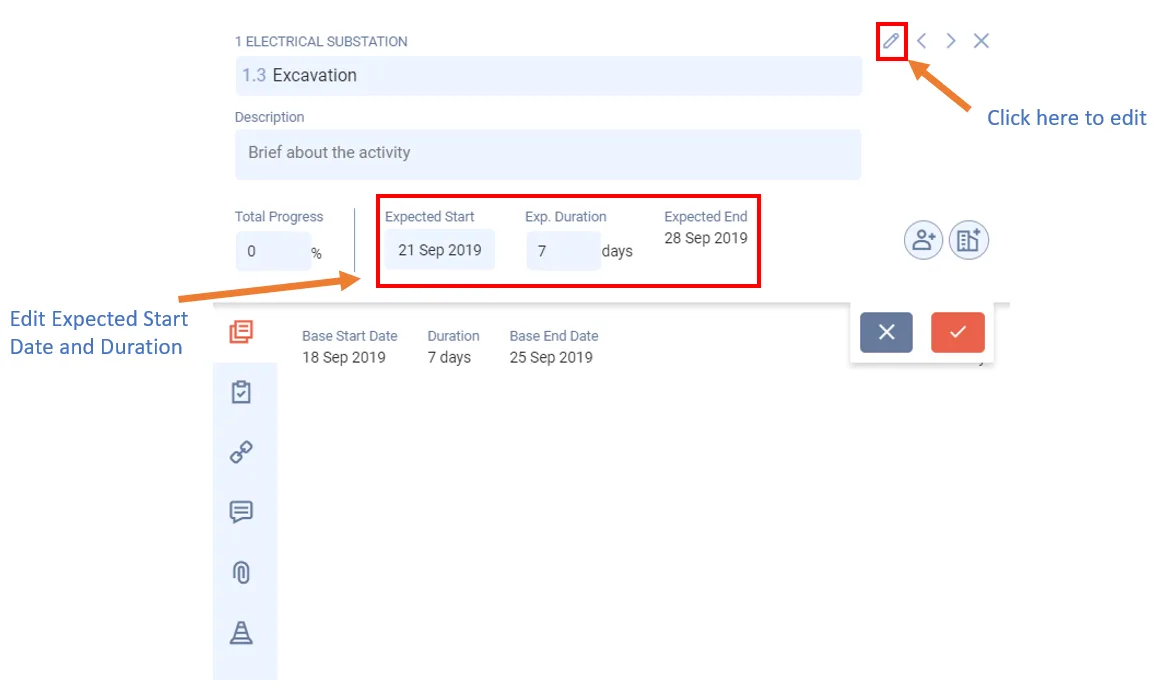
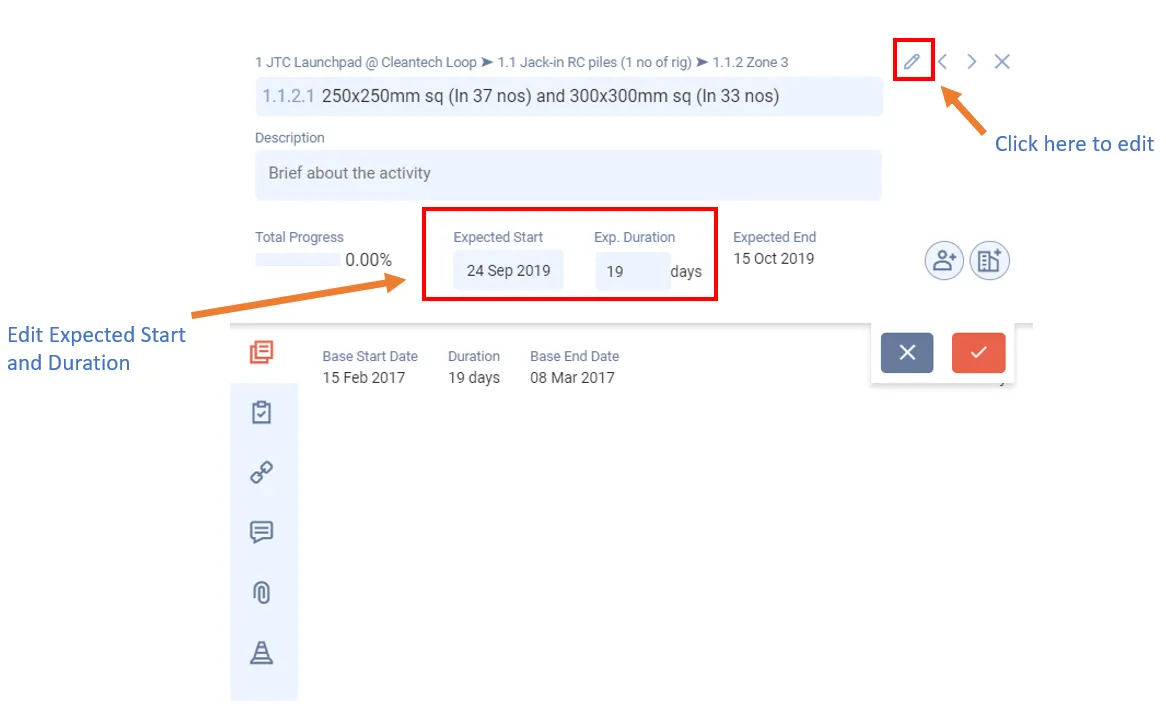
- Double-click the activity bar in the Gantt chart.
- Click Edit (pencil icon).
- Change the Expected Start. An earlier date advances the activity. A later date delays its start.
- To delay the activity's end date, increase its Exp. Duration.
The Masterplan shows each change at once. If you advance an activity that has a predecessor, the app disables that dependency so the activity can move earlier.
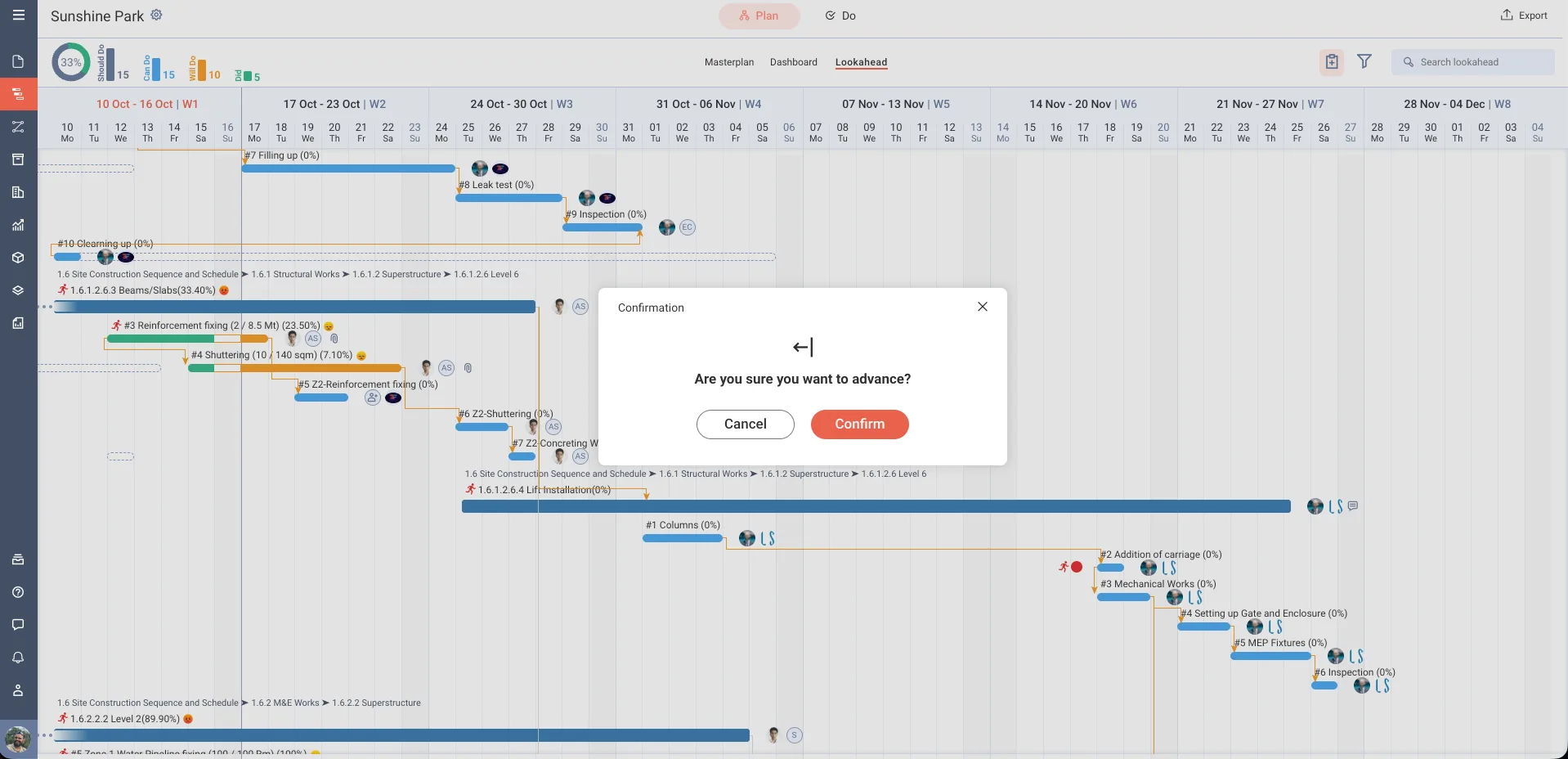
You can also drag the activity bar in the Gantt chart. If you drag it earlier, the app asks for confirmation. Click Confirm to advance the activity.
Note: A delayed activity affects the start date of its successor. If it is on the critical path (the activities and tasks where any change moves the project end date; critical activities show as solid red bars), it might delay the project end date.
Activity that has already started
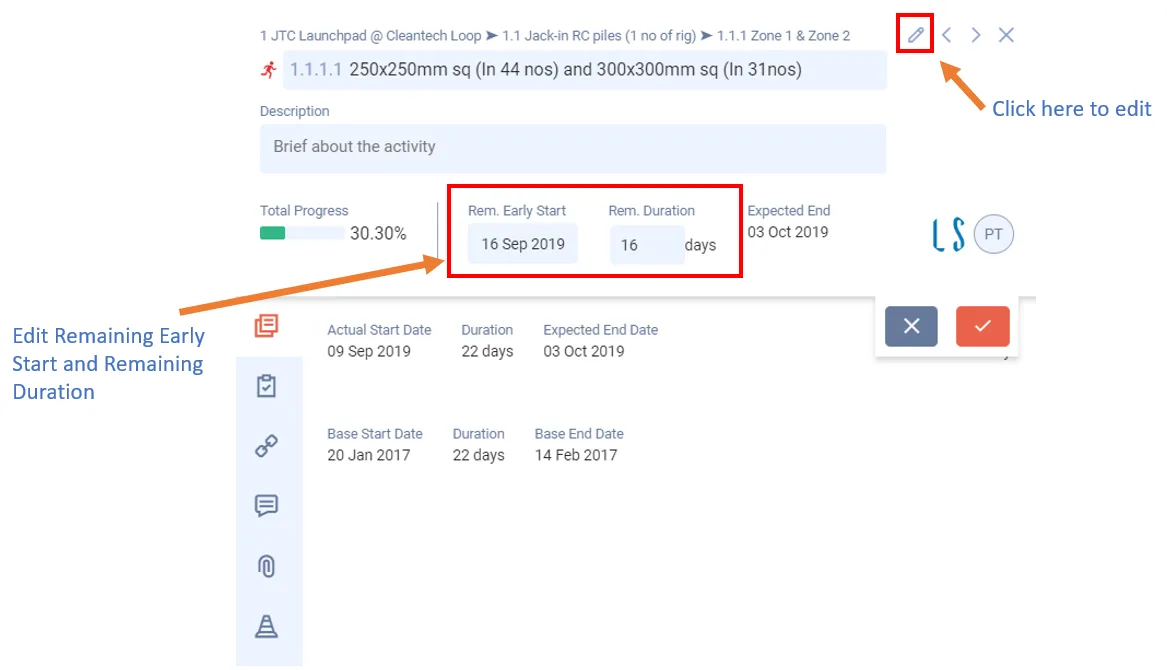
If an activity is in progress but not complete, you can delay or advance its Remaining Early Start (RES), the date the remaining work of a started activity or task resumes. Change it based on what happens on site. This helps your team resume work on another day when something unexpected, such as weather, suddenly stops work for a few days.
You can edit only leaf activities (activities with no sub activities) that are not finished.
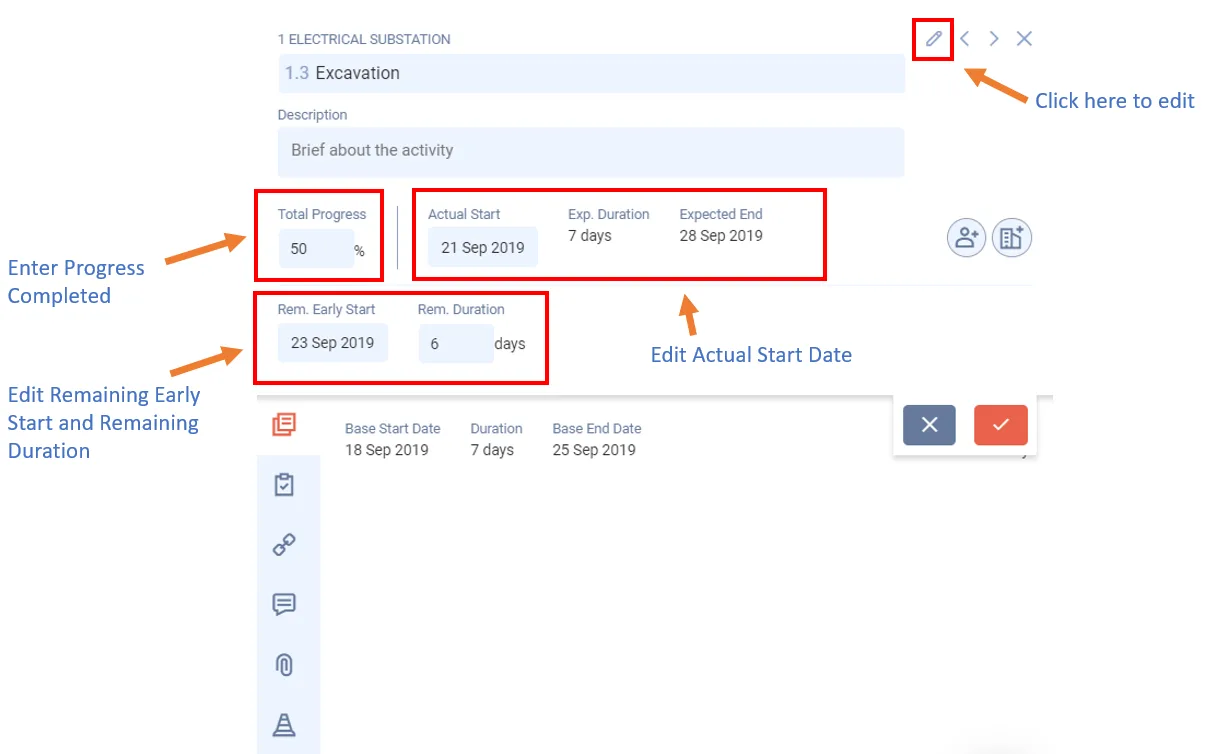
- Double-click the activity bar.
- Click Edit (pencil icon).
- Change Rem. Early Start and, if needed, Rem. Duration. These labels show after the Lookahead is generated. You can set the Remaining Early Start from the working day after the start date up to the end date.
- Click the tick to save. Click the cross to cancel.
Delaying or advancing a task works the same way. See Delay or advance a task.
Last updated 2023-07-10. Part of Masterplan in the Lean PlanDo manual. Lean PlanDo by Lean Station.