
Lean PlanDo manual › Masterplan
Critical milestones
Mark a milestone as critical to track its own critical path, colour its flag, and follow its delays in Insights.
Mark an important milestone as critical to track it as its own critical path. You then see its status at any time, and which activities are critical to it. This is in addition to the default project critical path.
You can do this only after the pre-configuration phase, that is, after you first generate the Lookahead.
Mark a milestone as critical
-
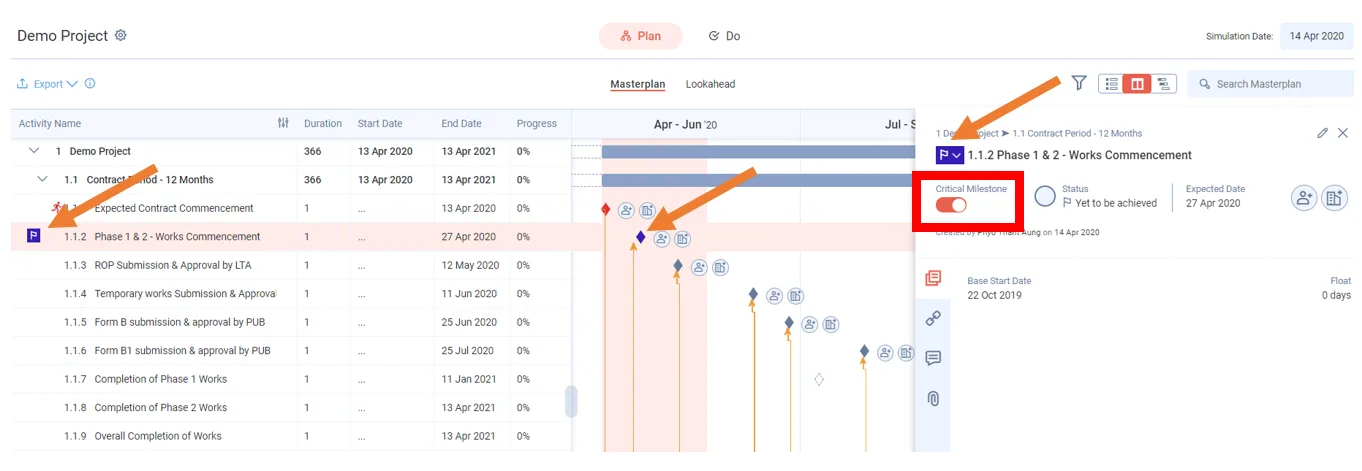
Double-click the milestone to open its detailed view.
-
Turn on the Critical Milestone switch. The message Are you sure you want to mark this milestone as critical? appears. It adds that schedule changes on this milestone will be captured and summarised in Insights.
-
Click Yes.
To undo it, turn the switch off. The app asks you to confirm the milestone as non-critical, and the capture of its schedule changes pauses.
You can also mark a milestone as critical in the Lookahead, if the milestone falls inside the Lookahead window.
Colour the flag
A critical milestone shows a flag icon beside its name. Click the flag to change its colour. Colours help you tell apart the critical milestones you track.
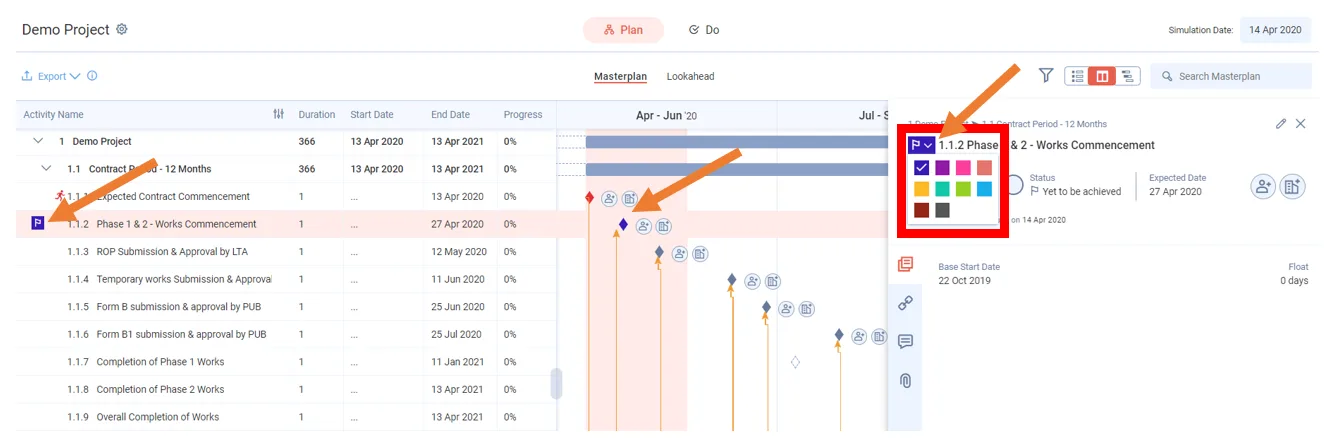
See which activities are critical to a milestone
Every activity on a critical milestone's path shows a small rectangle under the activity, in that milestone's colour.
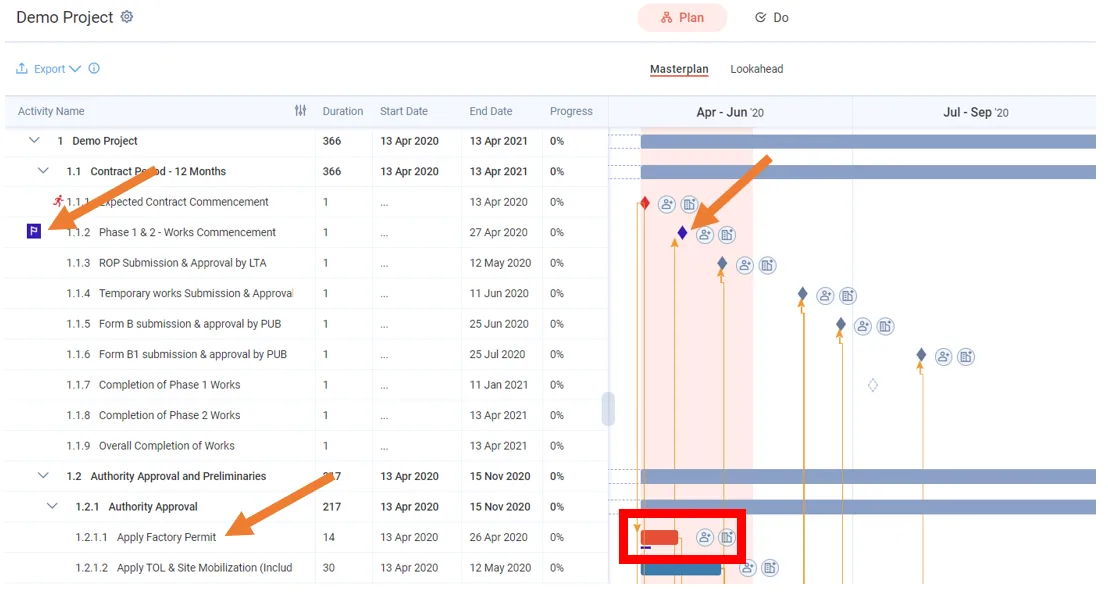
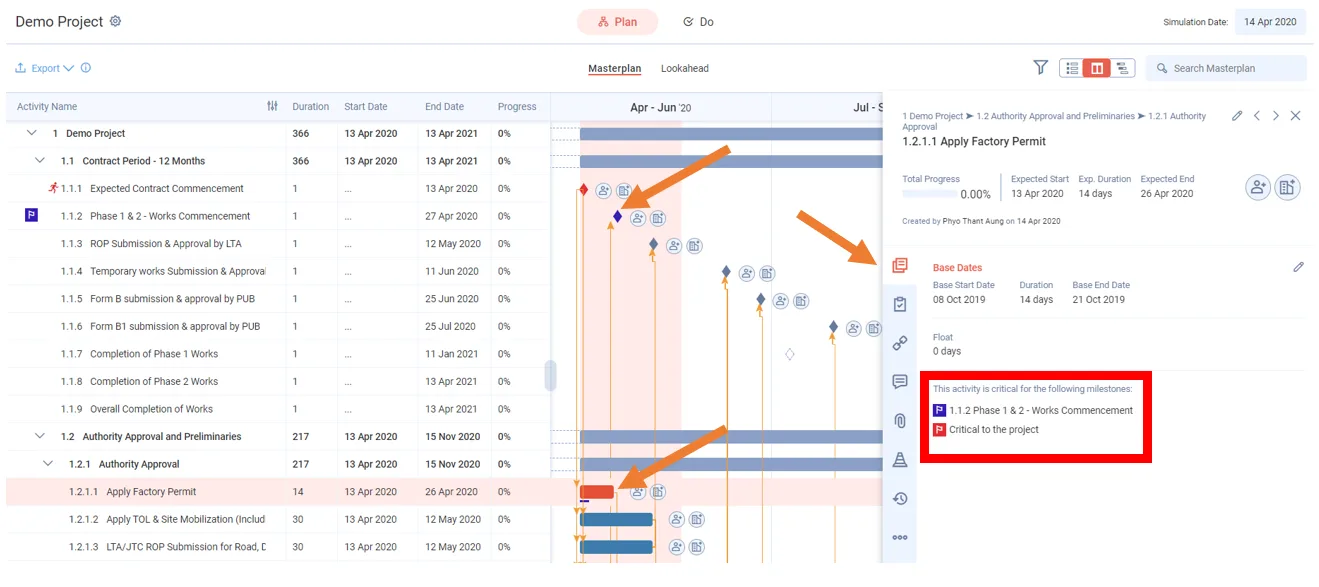
An activity on several critical paths, including the default project critical path, shows several rectangles.
To see which critical paths an activity belongs to, double-click the activity to open its detailed view.
Track critical milestones in Insights
-
Click Insights in the left panel.
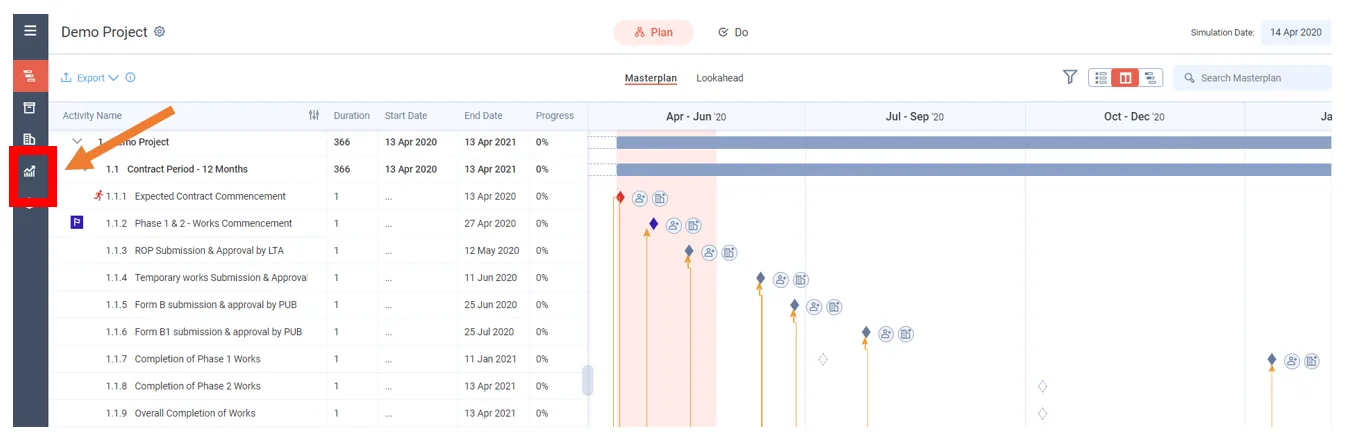
-
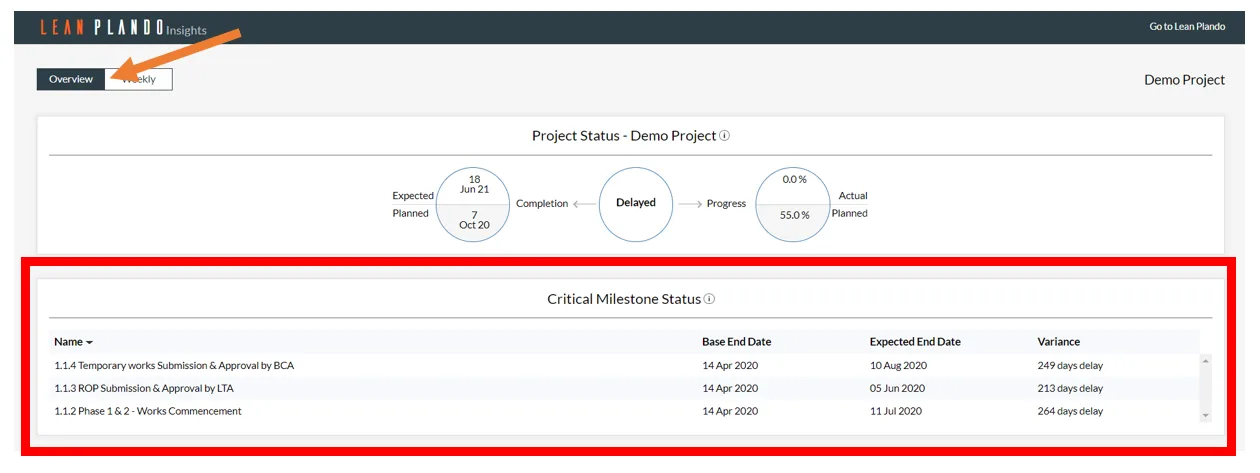
Open the Overview tab. Two modules cover critical milestones.
Critical Milestone Status lists every critical milestone in the columns Base End Date, Expected End Date and Variance. The variance shows how the expected end date compares with the base end date.
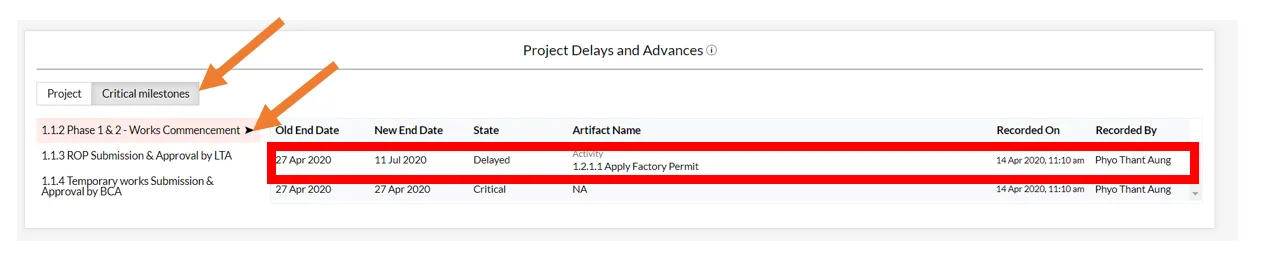
Project Delays and Advances has two tabs, Project and Critical milestones. The Critical milestones tab records each event that delayed or advanced a critical milestone. Click through the milestones to see the delays and advances for each.
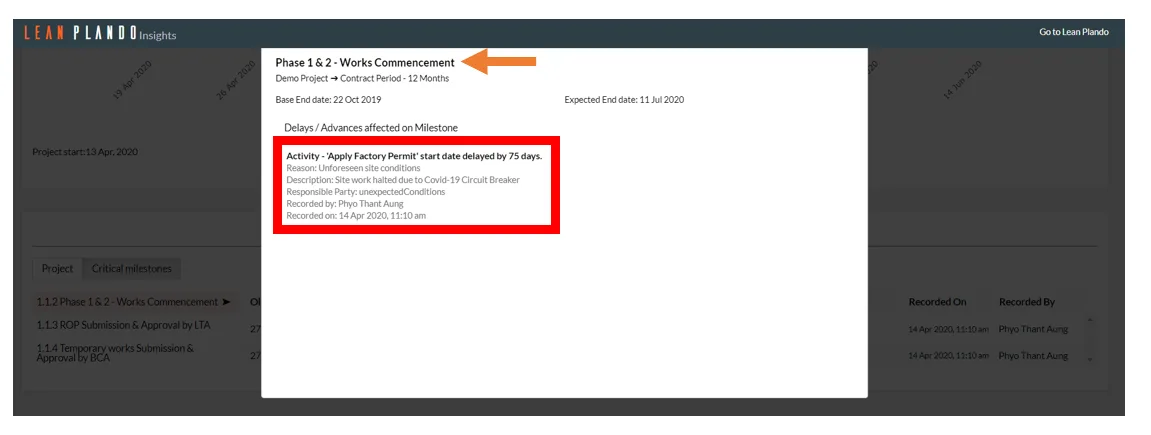
Click an event to open the delay history of the activity, task or constraint behind it.
Last updated 2023-07-10. Part of Masterplan in the Lean PlanDo manual. Lean PlanDo by Lean Station.