
Lean PlanDo manual › Getting Started
Main menu and profile settings
Find your way around the Lean PlanDo start page, the main menu and your profile settings.
After you log in, you see the Projects page. Your projects are under the Public and Private tabs.
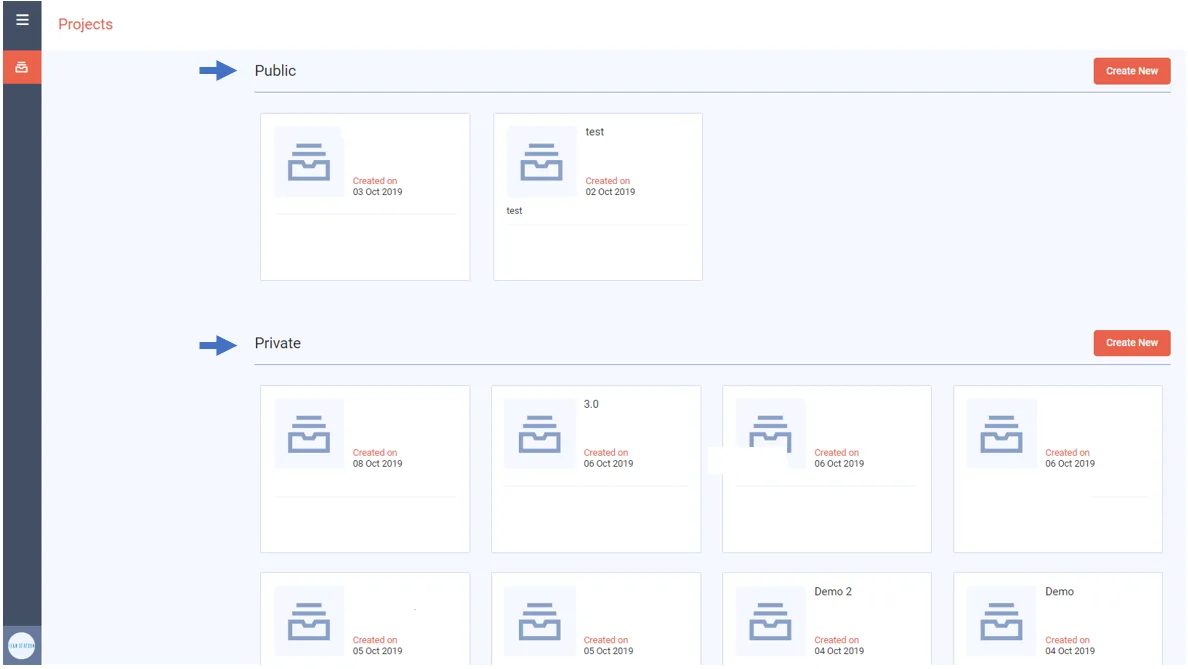
The two tabs hold two kinds of project:
- Public projects: you can invite people to collaborate and work on the project together.
- Private projects: your own personal projects. You cannot invite external parties.
Main menu
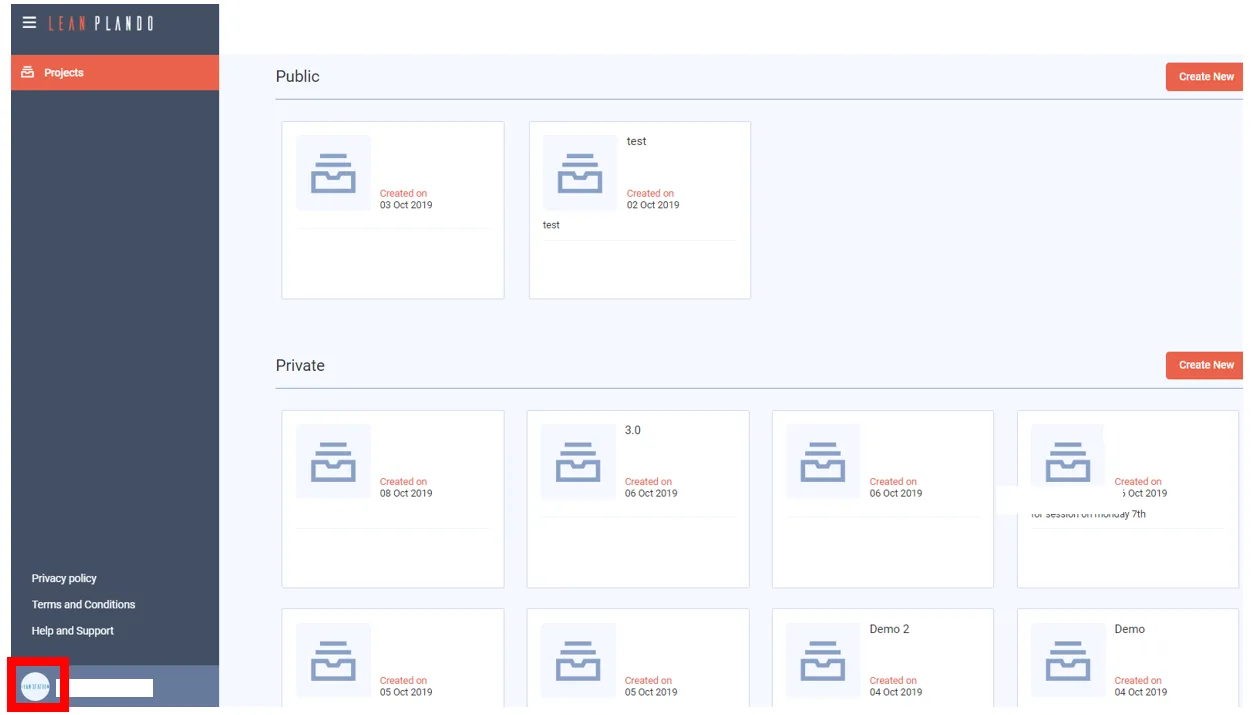
Click the menu icon (three bars) in the top left corner to open the main menu.
Profile settings
-
Click the user icon in the bottom left corner.
-
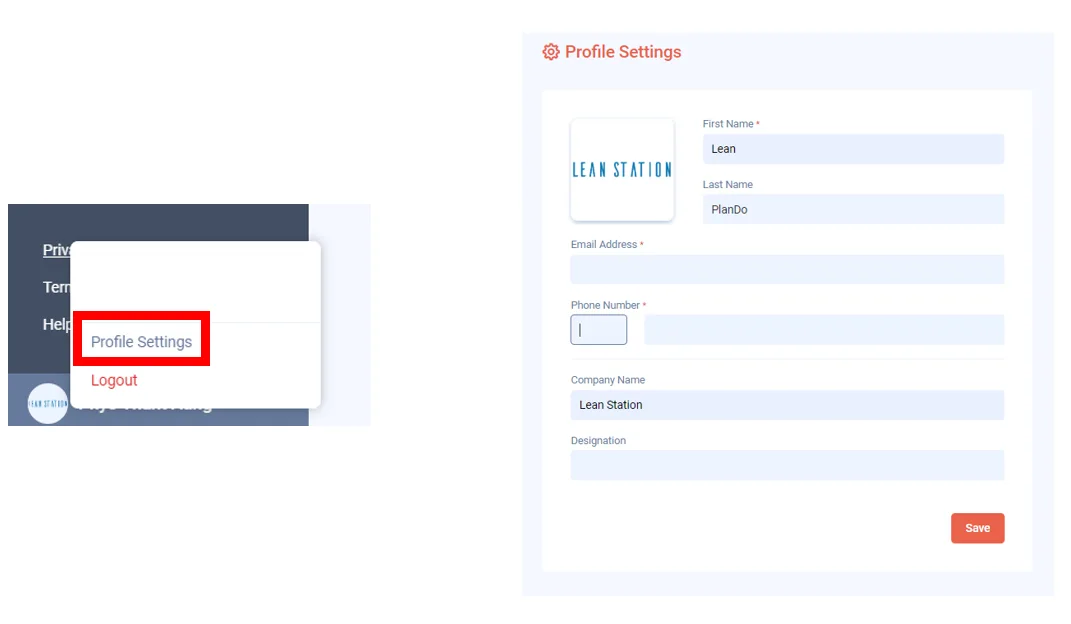
Click Profile Settings. To log out of your account, click Logout instead.
-
Fill in your account details, or change your profile picture.
-
Click Save.
Last updated 2022-09-14. Part of Getting Started in the Lean PlanDo manual. Lean PlanDo by Lean Station.