
Lean PlanDo manual › Create Project
Project user roles
See which roles each company type can have in a project, and what each role is allowed to do.
Each user in a project has a role. The roles available depend on the user's company type. The role decides which features the user can use.
Roles by company type
Client
- Project Manager (PM)
- Higher Management (HM)
- Management (M)
- Planner (P)
- Project Engineer/Coordinator (PE/CO)
- Site Supervisor (SS)
Consultants
- PM SO Rep/Consultant (PM/SO)
- Architect/Engineer (AR/E)
- RE/RTO
- Principal Lean Consultant (PLC)
Main Contractor
- Project Director (PD)
- Project Manager (PM)
- Construction Manager/Site Manager (CM/SM)
- Planner (P)
- Project Engineer/Coordinator (PE/CO)
- Site Supervisor (SS)
Sub Contractor
- Project Manager (PM)
What each role can do
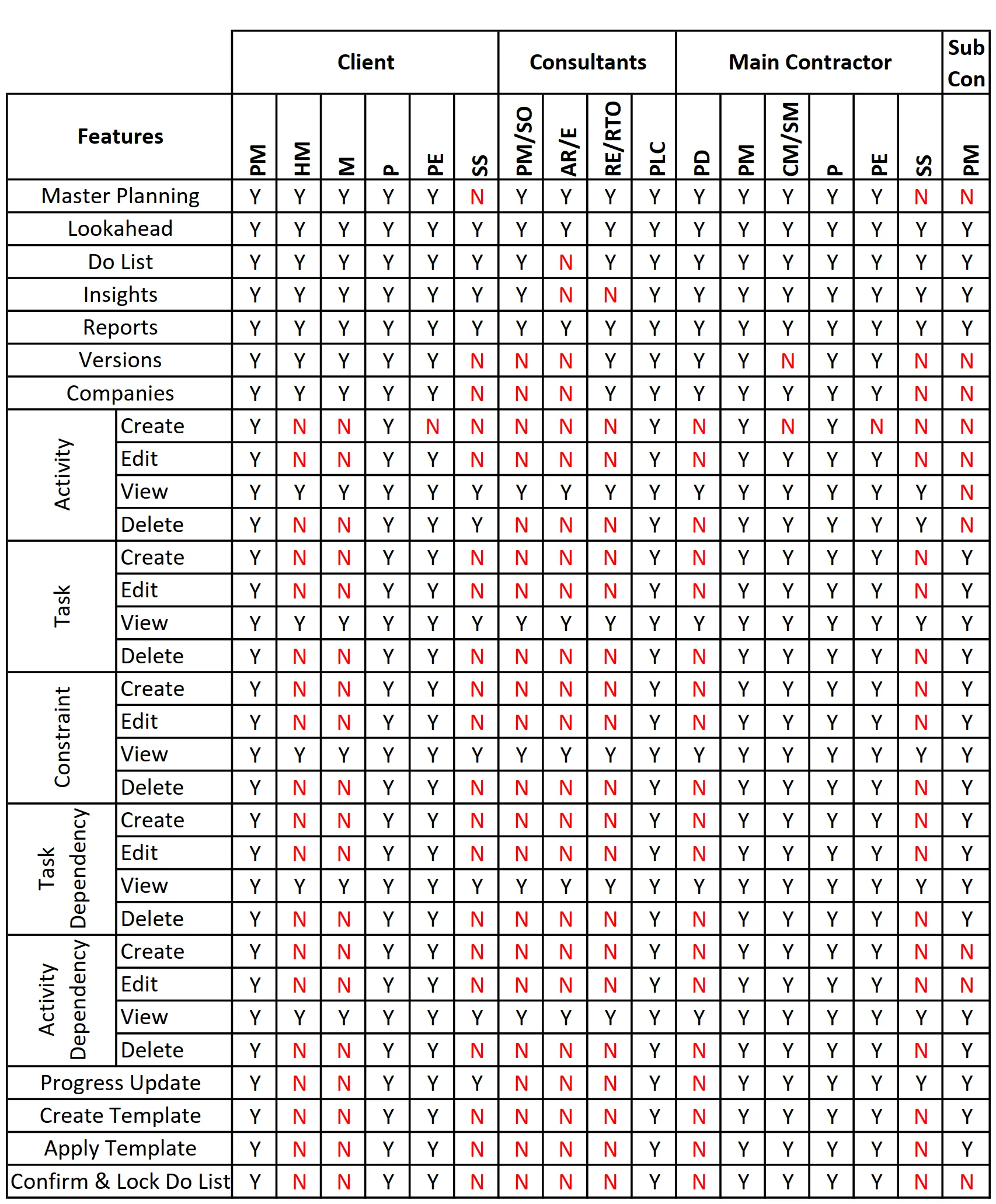
The table lists features in the left column, Features. Roles run across the top, grouped by company type. Y means yes, the role can use the feature. N means no.
For example, follow the PM column in the Main Contractor section. Every feature has a Y, so this role can use all features. In the Site Supervisor column, features such as Create Activity and Edit Activity have an N. A Site Supervisor cannot use them.
Last updated 2022-07-14. Part of Create Project in the Lean PlanDo manual. Lean PlanDo by Lean Station.