
Lean PlanDo manual › Closing the Project
Close your project
Close a finished project so nobody can change it, and reactivate it later if you need to.
When your project ends, close it in Lean PlanDo to stop any further changes and updates. You can still open a closed project in read-only mode.
-
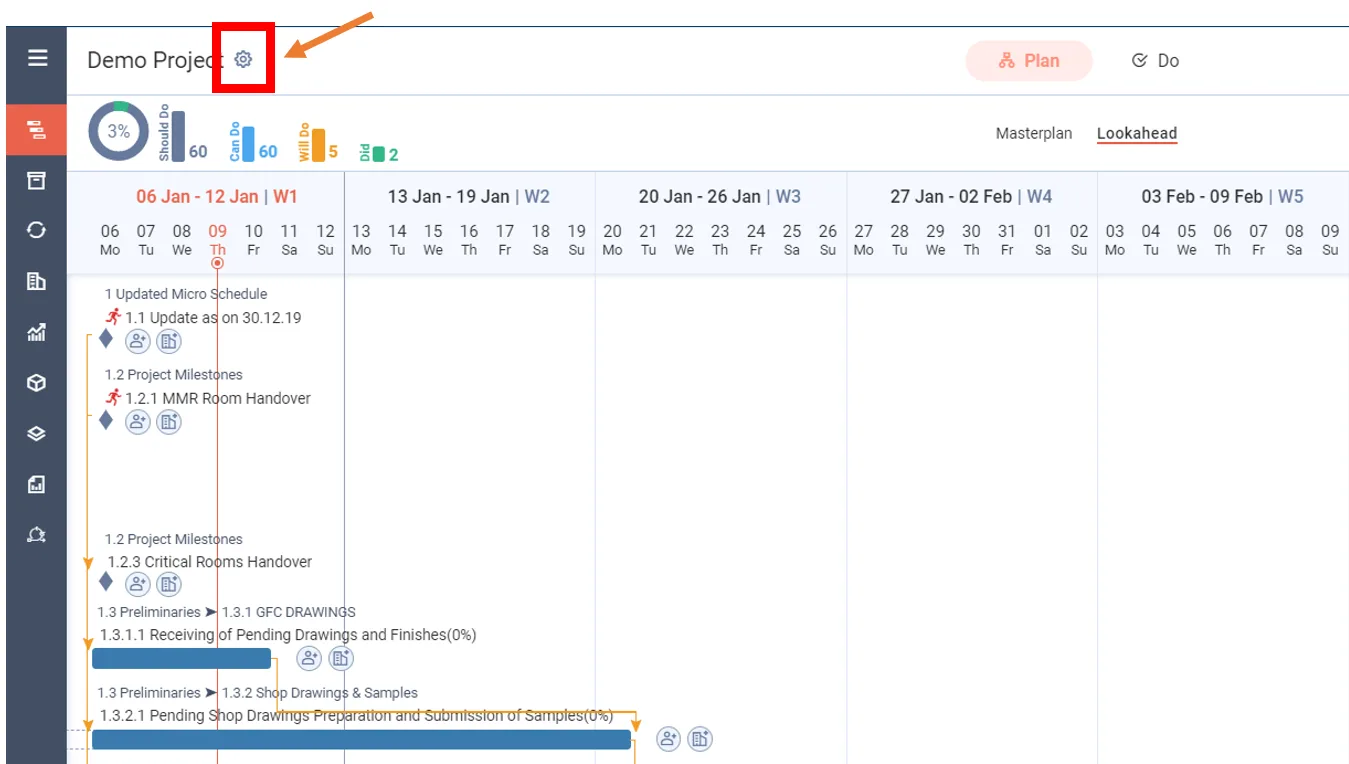
Open Project Settings.
-
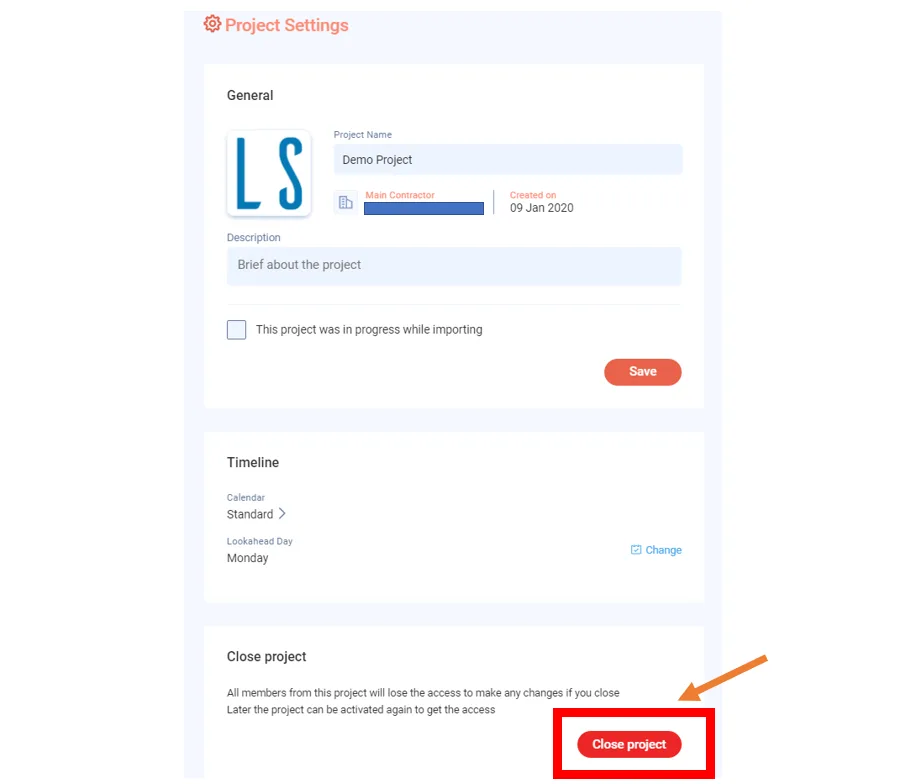
Scroll to the bottom and click Close project.
-
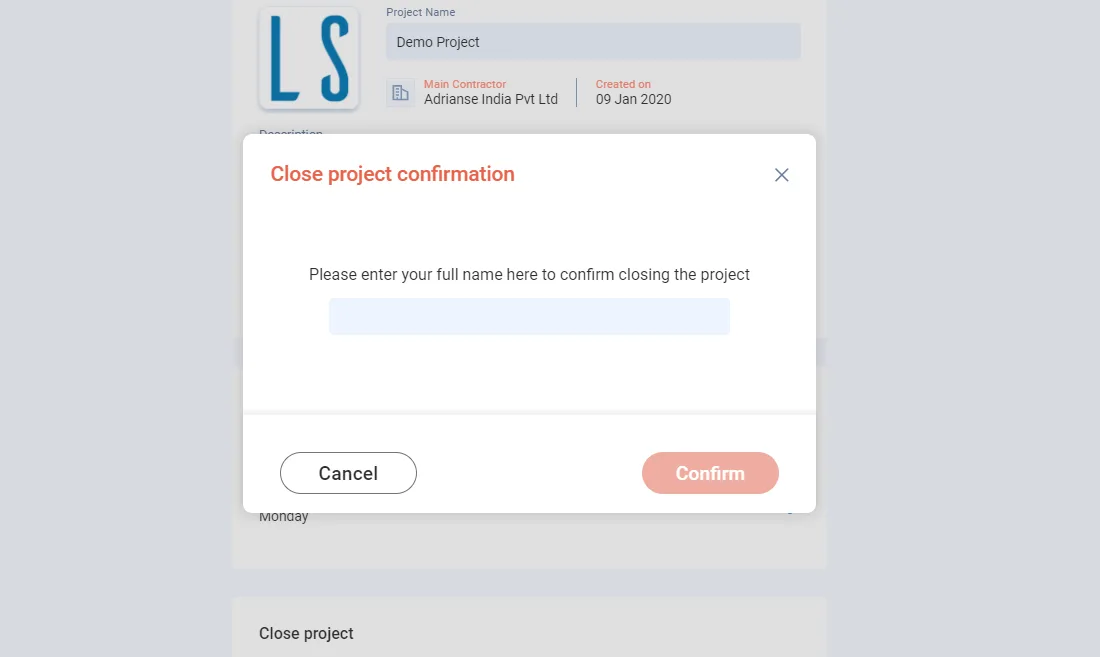
Enter your Full Name. Lean PlanDo keeps it as a record of who closed the project.
-
Click Confirm.
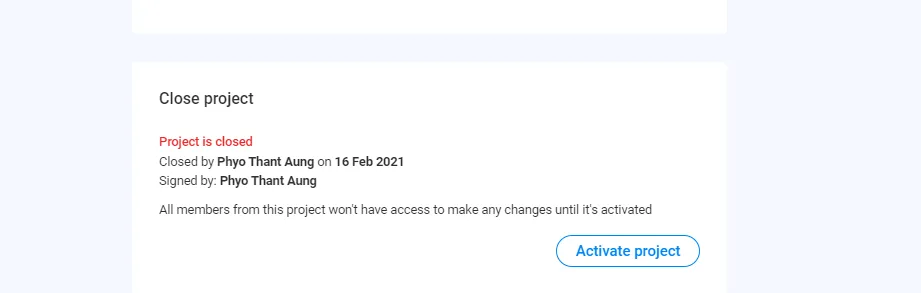
The project closes. Lean PlanDo records who closed it and on which date.
To open the project for changes again, click Activate project.
When a project closes, Lean PlanDo sends an email to:
- Project Managers in the Main Contractor and Client companies
- Principal Lean Consultants in the Consultant companies
Last updated 2021-02-16. Part of Closing the Project in the Lean PlanDo manual. Lean PlanDo by Lean Station.